
When the power goes out, the cell towers go quiet and the internet is gone, most of the apps on your phone and computer go with it. That is exactly the moment you need your family plan, your medical information, your repeater list and your net script. EmComm Hub was built for that moment.
EmComm Hub is a Windows app that brings more than 40 emergency communications and family preparedness tools together in one place. Everything runs on your own computer, with no internet, no cell service and no cloud account, and it works wherever you live: enter your own home, club, repeaters and nets, and every tool uses them. Shane Hansen (NC7C) and I built it, and now it is available to everyone in limited release.
Why I built it
I built separate web tools for the club: a net control logger, an ICS form generator, a repeater directory, a PACE plan page. Each one was useful, but they were scattered, and every one of them asked you to type in your call sign, your household and your location again. Worse, most of them needed an internet connection to even open.
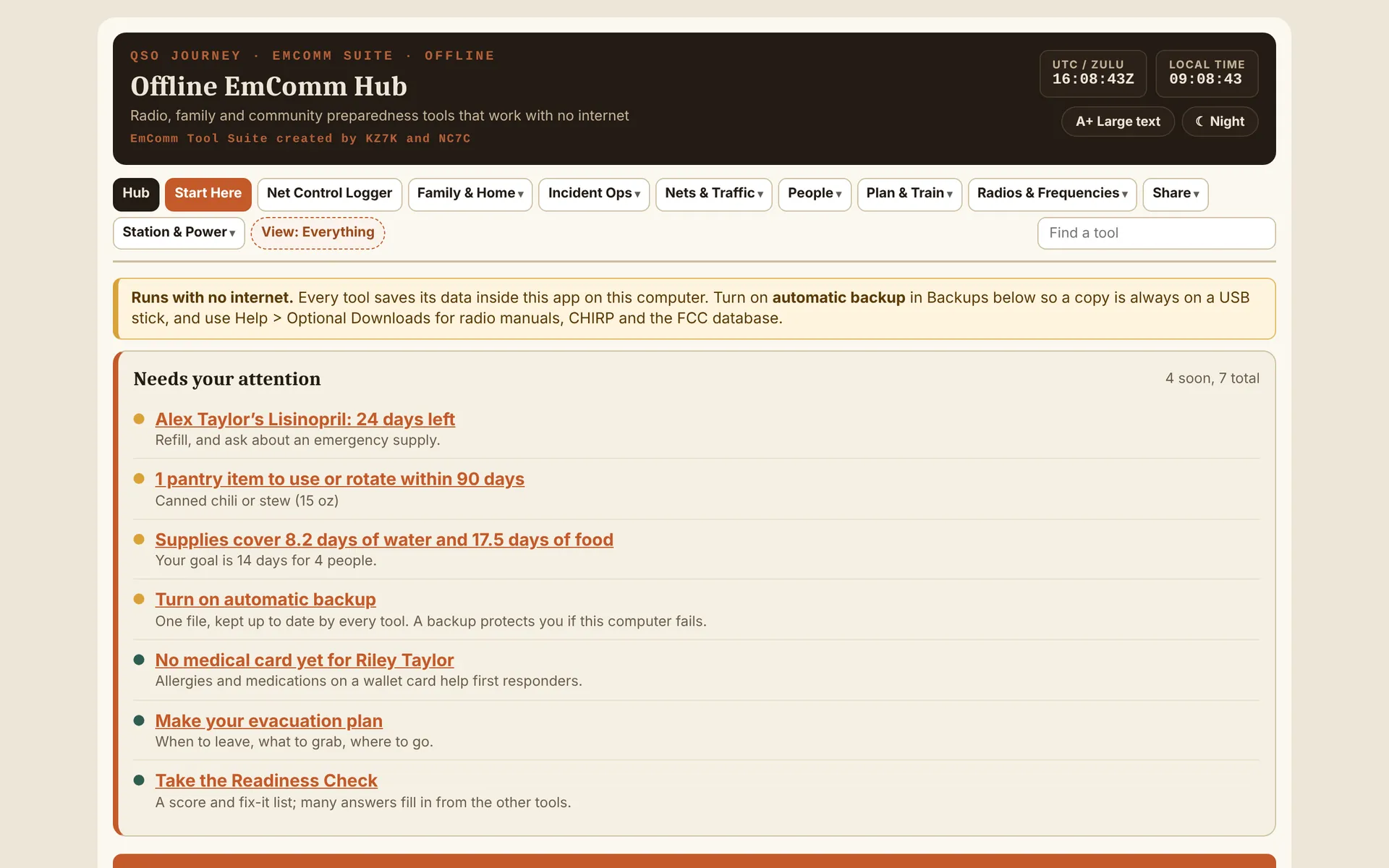
EmComm Hub fixes both problems. You enter your information once, and it fills in every tool. And it all lives on your computer, so it works on the day you actually need it. As I wrote in What “Grid Down” Actually Means, that day can last a lot longer than most people plan for.
Four ideas behind the whole app
- Works offline. No internet, cell service or account needed. You activate once, and after that every tool works with no connection at all.
- Enter it once. A 5-minute Quick Setup records your household, call sign and home. The food planner, medical cards, evacuation plan, ICS forms and binders all pick it up from there.
- Your data stays yours. Nothing you enter is sent to me or to any cloud service. Turn on automatic backup and every change is copied to a backup file on a USB stick or folder you choose.
- Paper when screens fail. One click prints a Family Binder or a Club Binder, so the plan still works when the laptop battery is dead. It is the same idea as building a comms binder by hand, without the hours of typing.
The app has two views. Family view shows only the household tools, so a spouse or family member who is not a ham sees a simple, uncluttered screen. Everything shows the full radio, club and incident toolkit. A step-by-step path on the home screen walks you from setup to a printed binder.
What is inside EmComm Hub
Here is every tool in the app, grouped the way you will find them on the Hub. Click any screenshot to see it full size.
Start here
- Quick Setup. Enter your household (each person’s age group and size), pets, call sign and home location in about five minutes. Every other tool uses it.
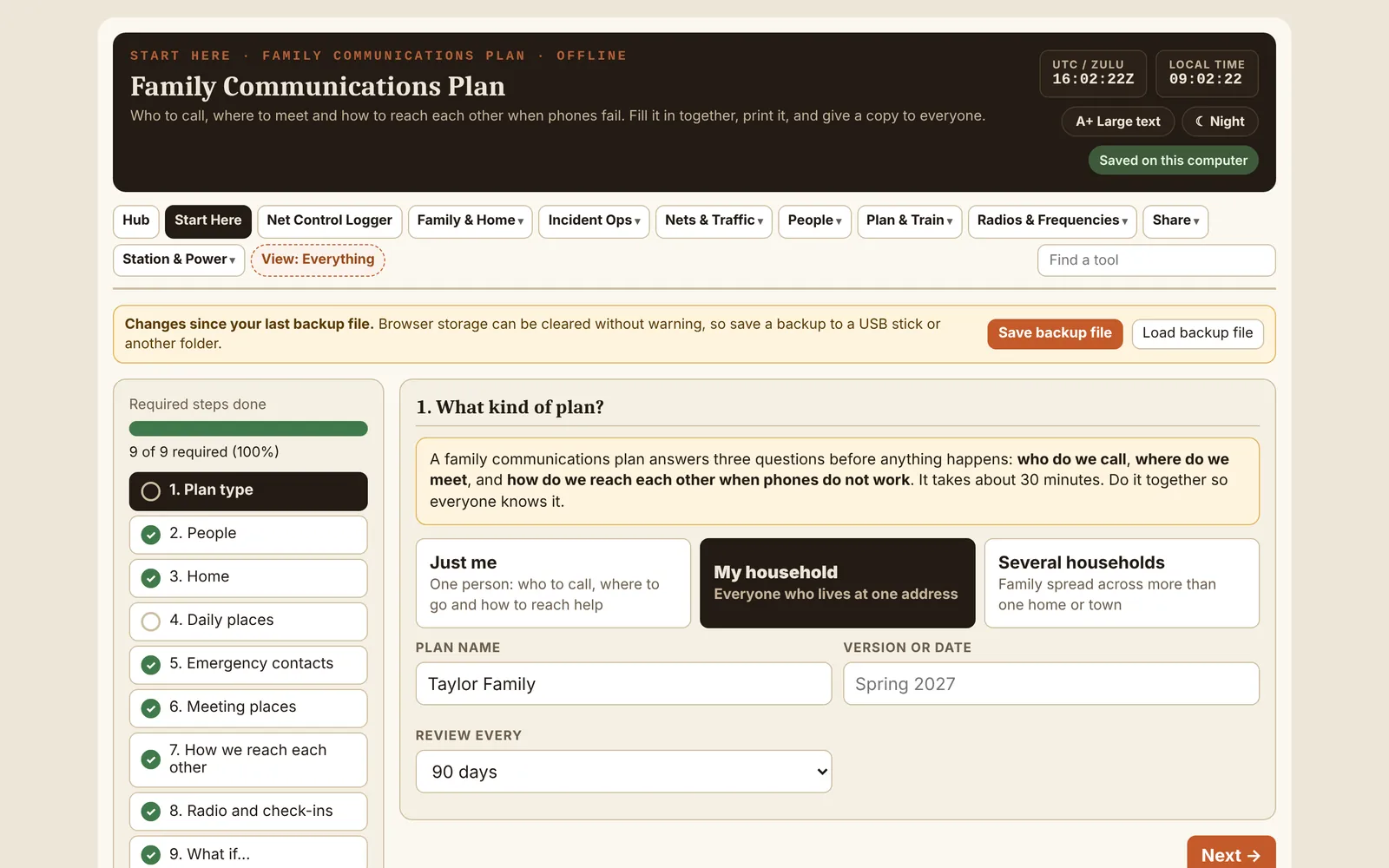
- Family Communications Plan. Who to call, where to meet and how to reach each other when phones fail, with an out-of-area contact, meeting places and printable wallet cards for everyone. It follows the approach in A Comms Plan Your Non-Ham Family Members Can Actually Use.
- Personal Readiness Check. A score for how ready you are, with a fix-it list that links straight to the tool that closes each gap.
Family and home
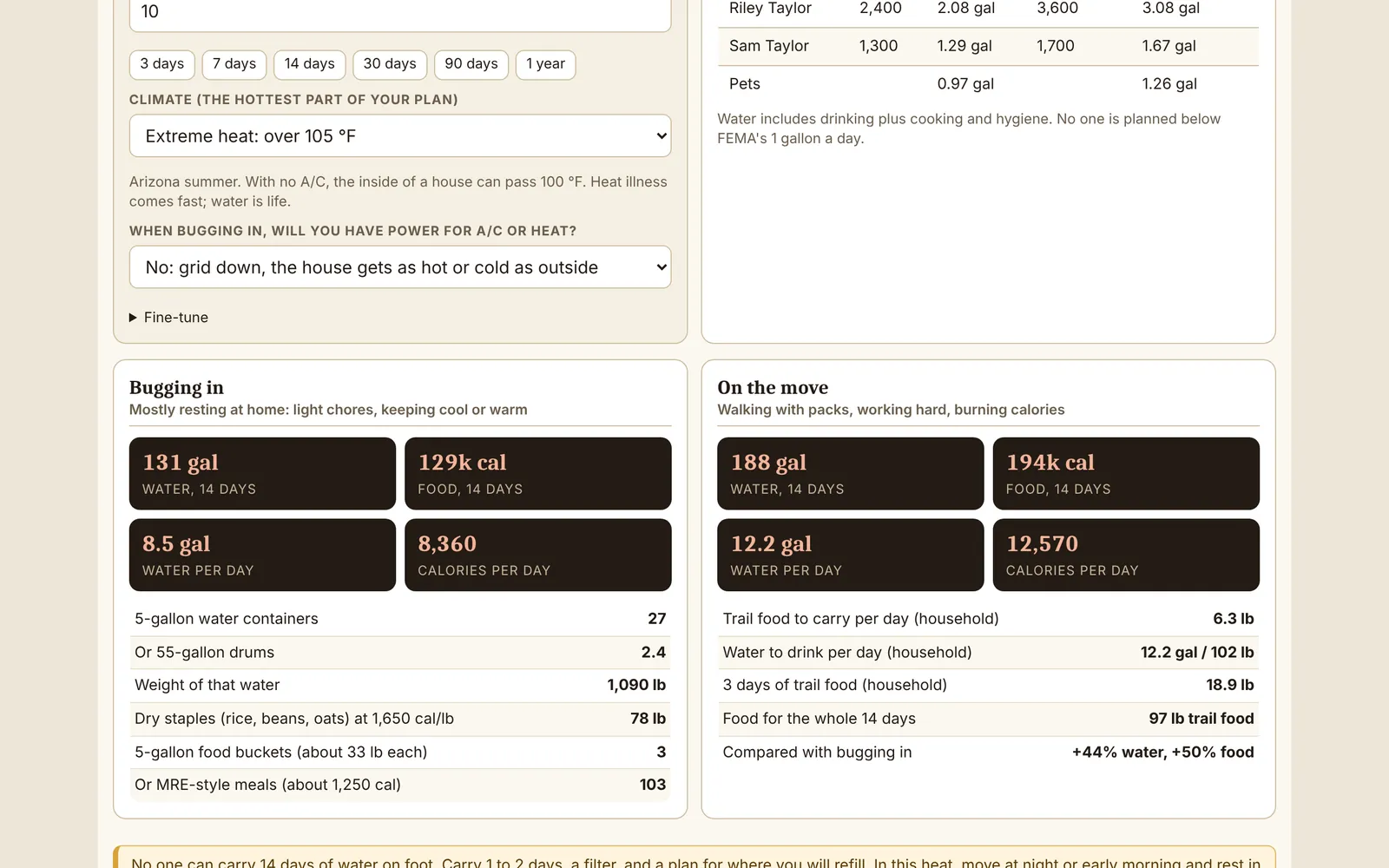
- Food & Water. Works out what your household needs by each person’s age, size and your climate, for bugging in or for moving out on foot. Someone in a hot, dry climate burns far more water than someone in a cooler one, and the planner accounts for that. It also includes a pantry inventory that shows how many days you are covered and what to rotate before it expires.
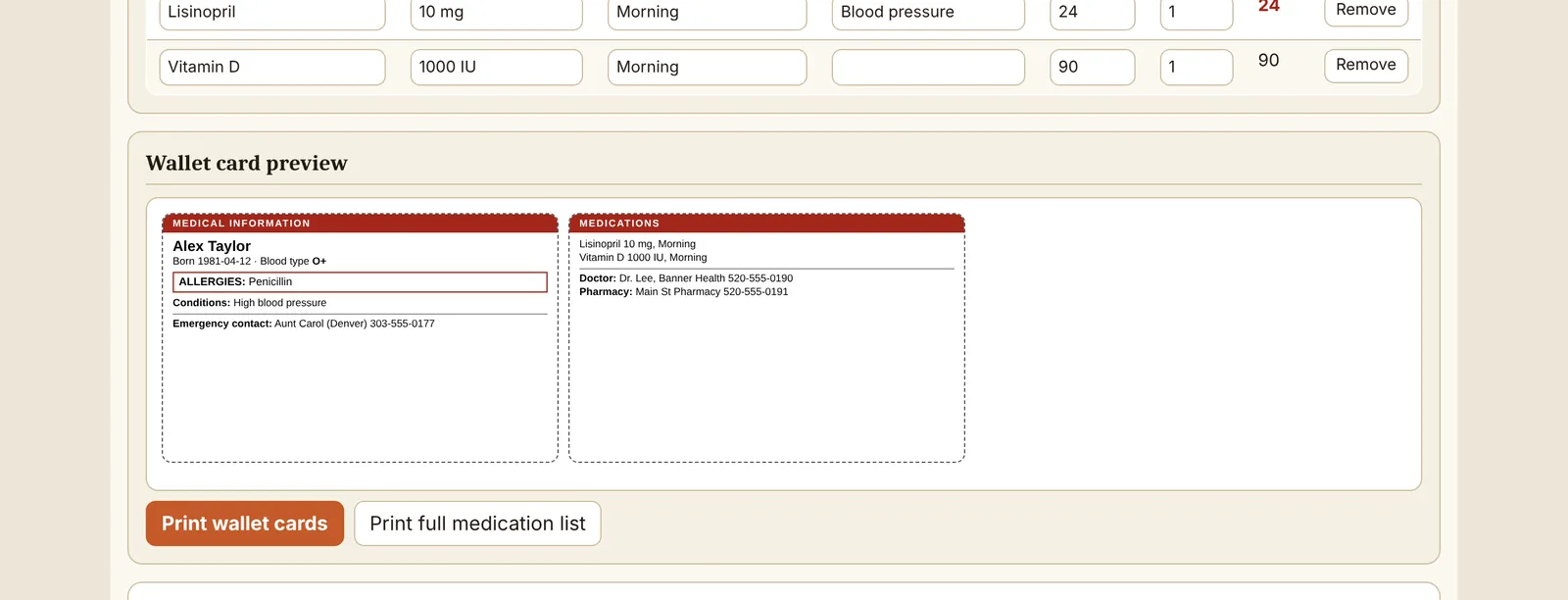
- Medical Cards. Allergies, medications, doctors and emergency contacts for each person, with how many days of each medicine you have on hand. Prints as wallet cards.
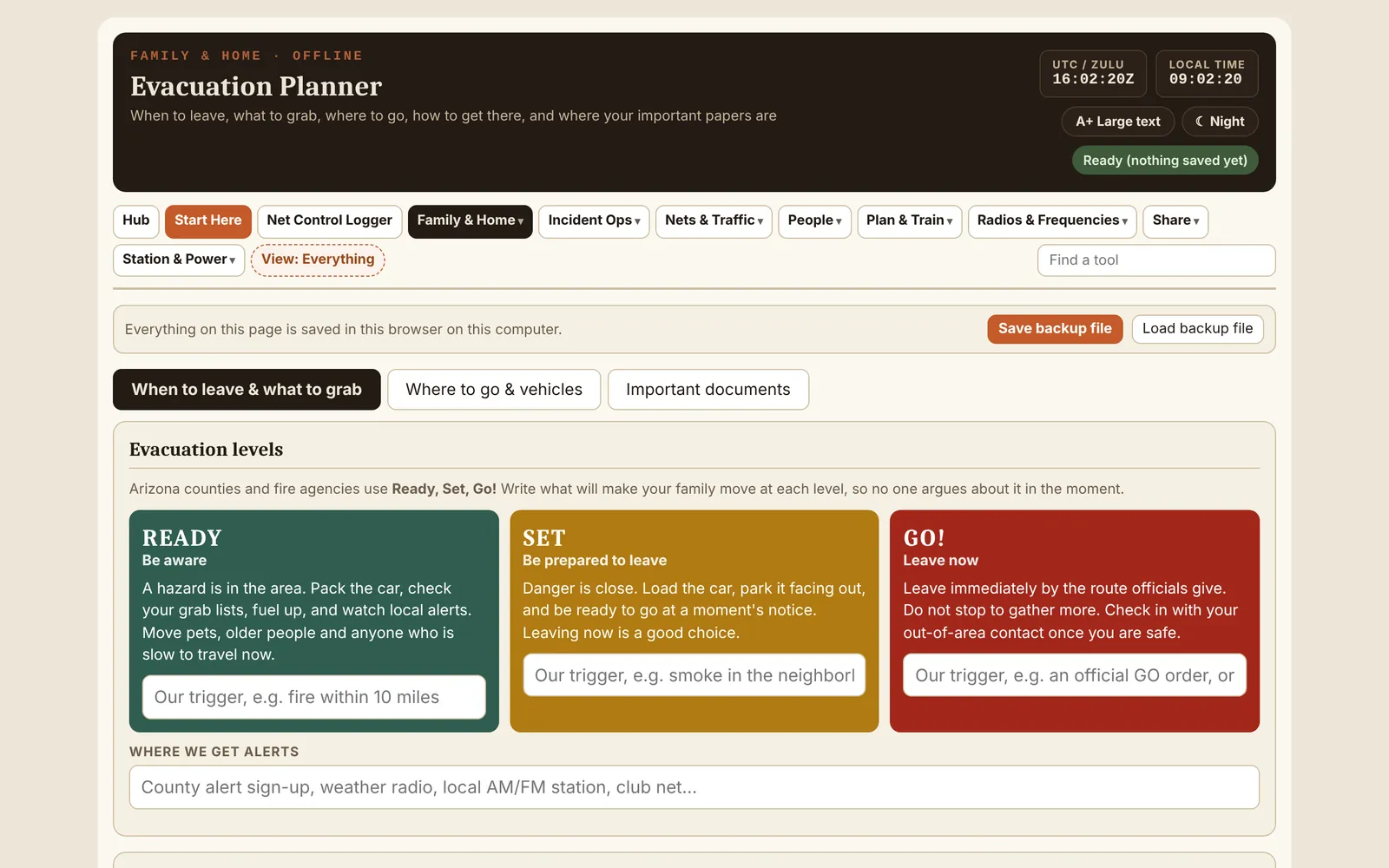
- Evacuation Planner. Ready, Set, Go! triggers, 5, 15 and 60-minute grab lists, places to go with two routes to each, vehicle range, and a checklist of where your important documents are.
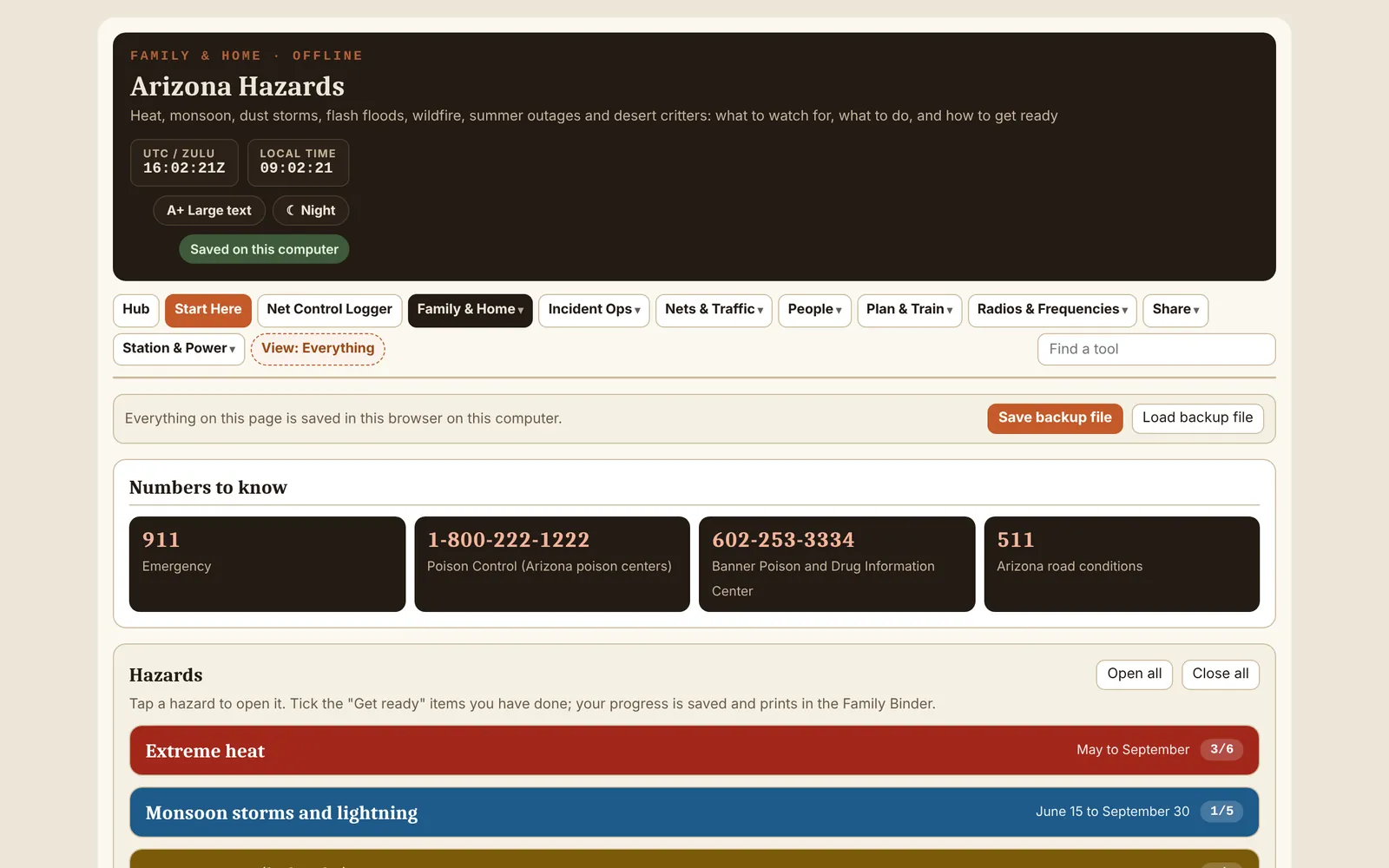
- Hazards Guide. Extreme heat, severe storms, dust storms, flash floods, wildfire, power outages and dangerous wildlife, each with what to know, what to do and how to get ready.
- Readiness & Go-Box. Your readiness score plus a go-box inventory that tracks what needs charging, replacing or checking. See Building an EmComm Go-Kit Inventory You’ll Actually Update for why that matters.
- FRS / GMRS / MURS / CB. Every channel and power limit for the radios your family can use without a ham license, privacy code tones, and a printable family radio plan. Not sure which service fits? Read MURS vs GMRS vs FRS and the GMRS Complete Guide.
Nets and traffic
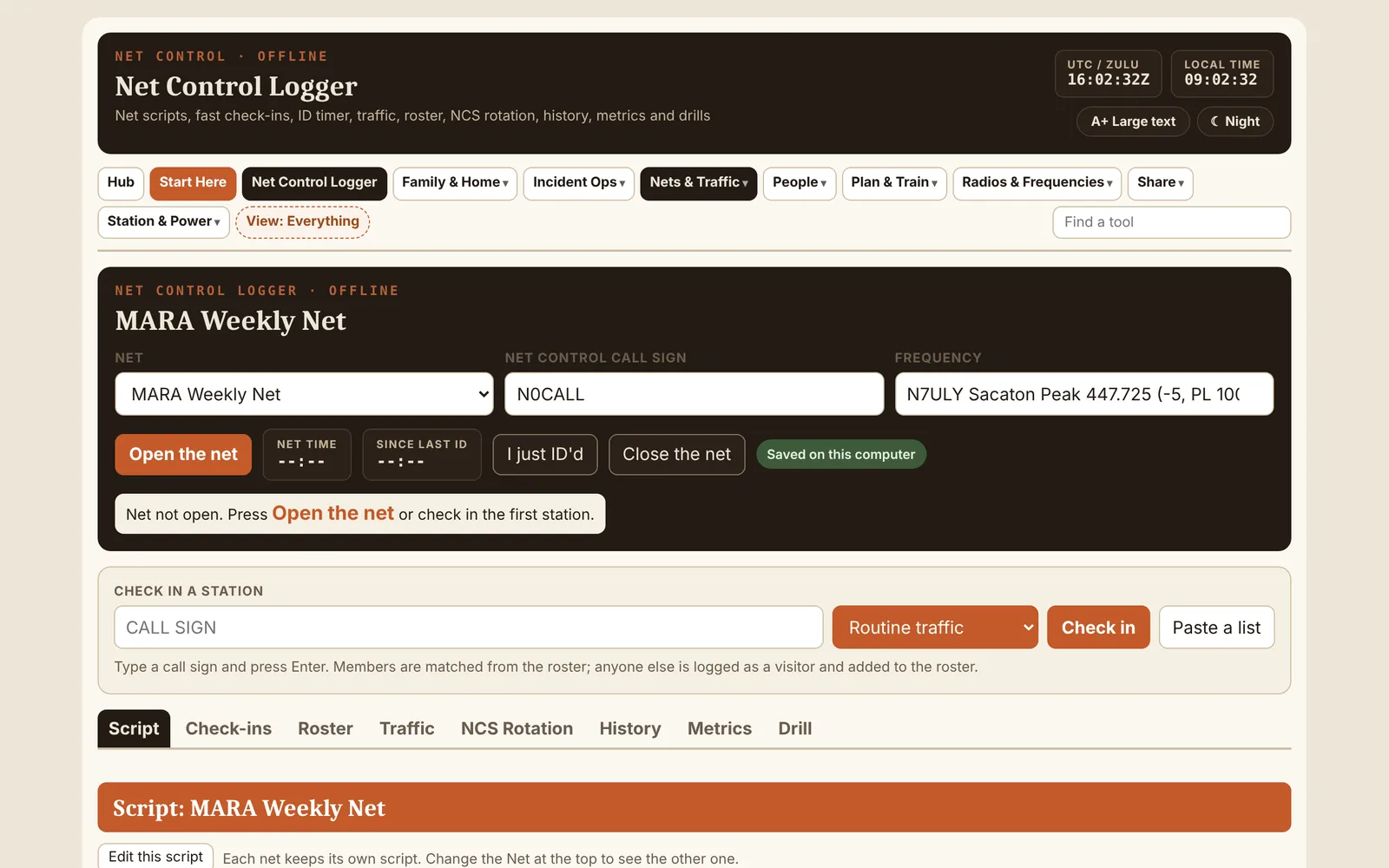
- Net Control Logger. Net scripts, fast call sign check-ins, a 10-minute ID timer, the traffic list, roster, NCS rotation, history and metrics. When the net closes it builds the ICS-309 for you. New to running nets? Start with Clubs and Nets: Finding, Joining, and Running Them.
- Nets. The weekly net schedule, your check-in script, how to break in with priority or emergency traffic, and net etiquette.
- NTS Radiogram. Write ARRL radiograms with the check counted for you, ARL texts and HX codes, a voice reading script, a message log, and one tap to put the message on the Net Control traffic list.
- SKYWARN Report. What, where, when and who for hail, wind, flash flooding, dust storms and more, ready to read on the net or send to Net Control as traffic. Background: SkyWarn and Weather Spotting.
- Winlink Helper. Your nearby Winlink gateways with distance and bearing, plus ready-to-paste check-ins, position reports, ICS-213s, radiograms and safe-and-well messages. If you have not set up Winlink yet, follow Setting Up Winlink: RMS Express, VARA, and Sending Your First Message.
- Human Relay Assistant (by Shane, NC7C). When the repeater is down, pick who you are and who you need to reach, and it plans relay hops on simplex through members a few miles apart, checked against terrain. The idea is explained in Human Relay Networks: Moving Traffic Across Town on Simplex.
Incident operations
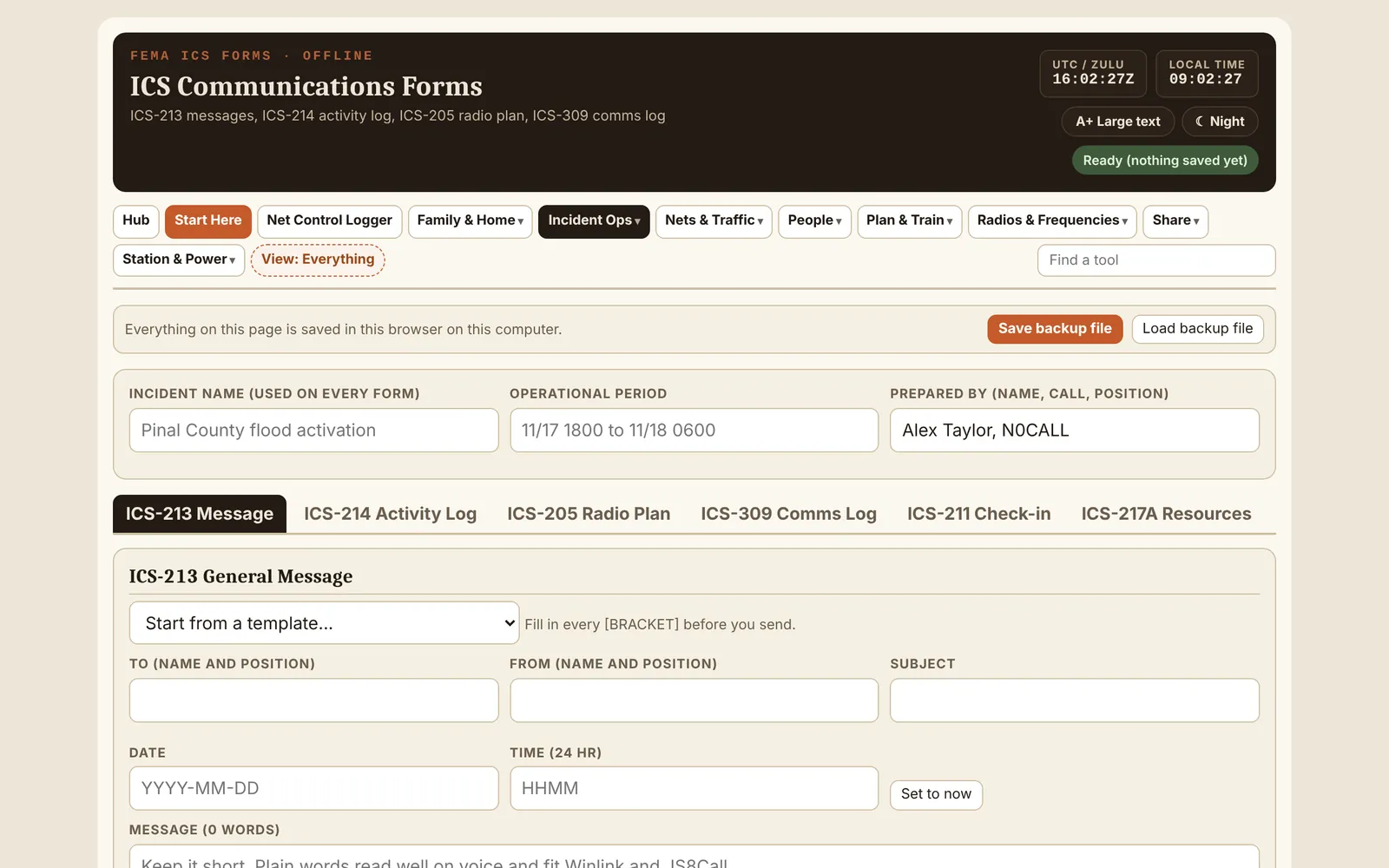
- FEMA ICS Forms. ICS-213, 214, 309, 211, 217A, 205A and 206, plus an ICS-205 radio plan that starts from your PACE plan. Your station details fill in automatically. For how these forms are used, see ICS-213 and Message Formats and FEMA ICS Courses for Hams.
- Operations Map. A military grid (MGRS) map that works with no signal. Save topo and satellite maps of your area for offline use, plan routes with bearings in degrees and mils, use GPS and GPX files, and see posts, households, SKYWARN reports, supply sites and hospitals.
- Tactical Board. Who is at which aid station, checkpoint or shelter, their tactical call, and how long since you last heard them. Overdue posts turn red, and entries flow into the ICS-214 and ICS-309.
- Status Board. Who is OK, who needs help and who has not been heard from. Households are marked OK from net check-ins, and needs go to Net Control. It pairs well with a neighborhood radio watch.
- Resource Requests. An ICS-213RR tracker from requested to delivered, with priority, needed-by time, late alerts and printable forms.
- Served Agencies. Emergency management, the EOC, Red Cross, hospitals, fire, police and utilities, with phone, radio, liaison and when to call. Prints as a one-page sheet. See ARES vs RACES for how hams fit in.

People
- Call Sign Lookup. Search the FCC license database and the RadioID DMR list together by call, name or town, offline. Each person shows as one card with their license class and DMR ID. Handy when you are building a DMR codeplug.
- Members. Who has an HT, HF or a generator, who is signed off for net control, Winlink or SKYWARN, and when sign-offs expire.
- Volunteer Hours. Hours for nets, events, drills and activations, pulled from the logger, ICS-211 and Tactical Board, with monthly totals for ARES and ARRL reports.
Plan and train
- PACE Plan. Build your own Primary, Alternate, Contingency and Emergency plan for your club, with your repeaters, simplex and HF frequencies, net times and a readiness checklist. Copy it, print it, and it feeds the ICS-205 radio plan. New to PACE? Read Building a PACE Communications Plan for Grid-Down Scenarios.
- Exercise Builder. Ready-made scenarios (flash flood, heat-wave power outage, repeater failure, dust storm, wildfire, race medical) with timed injects, inject cards and an exercise clock. A good next step after your first family comms drill.
- After-Action Report. Pulls the timeline, check-ins, traffic, posts, requests and hours from the other tools into a draft report with what went well, what to fix and action items. More on why: After-Action Reviews.
- Community Assessment. How ready your club is to serve your town, county and state, with a fix-it list and the members’ combined readiness.
- Events & Shifts. Plan a marathon, parade or ride with checkpoints and a comms plan, then staff it with shifts, relief times and warnings for gaps.
- Fox Hunt & DF. Log bearings from GPS, a grid or a map tap, see the lines cross on an offline map, and get a best-guess spot with a search radius. New to it? See Fox Hunting in Ham Radio.
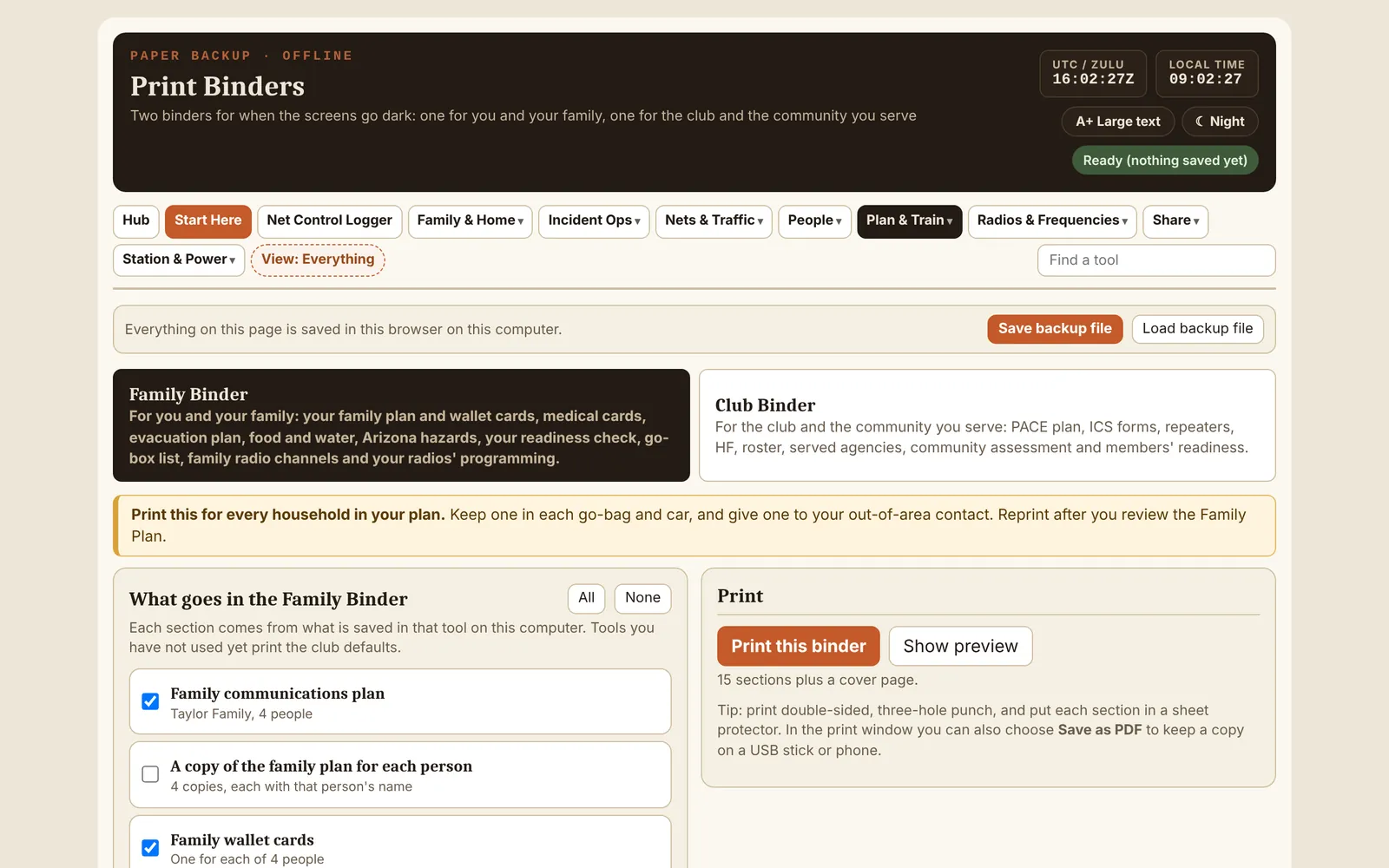
- Print Binders. A Family Binder with your family plan, wallet cards and readiness check, and a Club Binder with your PACE plan, ICS forms, repeaters, roster, agencies and assessment.
Radios and frequencies
- Repeaters. 2 m, 1.25 m, 70 cm and GMRS repeaters, club channels, PACE simplex, calling and NOAA weather channels, with distance, bearing, status and CHIRP import and export. Remember, a repeater is not a SHTF plan, which is why simplex and HF are in here too.
- Radio Programming. Front-panel steps for the Yaesu FT-60R, Kenwood TH-D75A, AnyTone 578, Baofeng UV-5R and the UV-PRO / VR-N76 app, with your channel filled in. Add your own radios. For computer programming, see How to Program a Baofeng UV-5R with CHIRP and the Handheld Radios (HTs) guide.
- Band Plan & HF. What each license class can use on every band, USB or LSB, a printable wallet card, and the HF emergency nets and frequencies. Pair it with The Frequencies Every Ham Radio Should Have Programmed for SHTF.
- APRS & Digital. APRS path, SSID and beacon settings, a status-text builder, a 67-character message counter, and which digital mode to use for what.
- Meshtastic / MeshCore. A node directory, matching settings and channels, a printable settings card and a range planner for 915 MHz mesh radios. Background: Mesh Networking: Meshtastic, MeshCore, and AREDN.
- CW & Phonetics. Play any text or call sign as Morse code at your speed and pitch, and spell it out phonetically.
Station and power
- Power Planner. Battery and solar runtime for your radios, plus generator load, run time and how much fuel to store for 3 to 7 days. See How Long Will Your Comms Kit Actually Run and Backup Power for the Shack.
- Antennas & Feedline. Dipole, end-fed and quarter-wave lengths, NVIS height and best band by time of day, plus coax loss and what your SWR costs you. More on NVIS in Why HF Radio Matters Most When the Grid Goes Down.
- Maidenhead GPS. Coordinates to grid square and back, distance and bearing, saved places and neighboring squares.
- Sun & Greyline. Sunrise, sunset, civil twilight, greyline windows and moon phase for any grid square, plus a 7-day table.
Sharing between computers
- Share & Sync. Pass check-ins, radiograms and reports by QR code, or move whole tools to another device by file or QR. The other device merges the data instead of overwriting it.
How the tools work together
The real value is not any single tool, it is how they connect. A few examples:
- Add a person in Quick Setup, and they show up in the food planner, medical cards, evacuation plan and Family Binder.
- Check in a household on the Net Control Logger, and the Status Board marks them OK.
- Write a radiogram or SKYWARN report, and one tap puts it on Net Control’s traffic list.
- Run an event, and the Tactical Board, ICS-214, ICS-309, volunteer hours and After-Action Report all fill in from the same log.
- The home screen’s “Needs your attention” list tells you when medication is running low or pantry items are due to rotate.
Licensing, updates and the free trial
- Lifetime license. Your serial number never expires.
- Free updates forever. Once you have EmComm Hub, every future version is included.
- Two computers. Each serial number works on two computers, such as your home PC and a go-kit laptop. Replacing a computer? Email me and I will reset your activations.
- 10-day free trial. Install it without a serial number and every tool works for 10 days. Your data stays on your computer if the trial ends, and you can save a full backup at any time.
- Windows 10 and 11 (64-bit) today. We are also working on Linux, Mac, Android and iOS versions of EmComm Hub.
How to get EmComm Hub
EmComm Hub is in limited availability while we bring users on in small groups, so everyone gets personal help getting set up. To request a copy, email kz7k@qsojourney.com with your name and call sign, if you have one. I will email you your serial number and the Windows download link. Install it, enter your email and serial number, click Activate, and you are ready to go offline. You can also see screenshots and the FAQ on the EmComm Hub page.
Related reading on QSO Journey
- Emergency Communications and Preparedness (the complete guide)
- Building a PACE Communications Plan for Grid-Down Scenarios
- Your SHTF Communications Plan: PACE, 3-3-3 and Training
- Comms Planning Beyond Your Family: Neighbors, Church Groups and CERT
- Start This Week: 10 SHTF Prep Steps You Can Knock Out in Seven Days
If you have questions, ideas for new tools, or want to bring EmComm Hub to your club, reach out. I would love to hear how you are using it. 73, Kris KZ7K
Downloads From the Talk
If you scanned the QR code at the end of my Tech Session on EmComm Hub, here are the slides from the talk.