
Part of our Emergency Communications and Preparedness guide.
I’ve explained what Winlink is and why EmComm operators rely on it. This is the hands-on part: getting a Winlink station set up and sending a real message, first with Winlink Express and VARA on Windows, then with Pat for Mac, Linux and Raspberry Pi go-kits. If you want the background on the modems themselves, see Winlink Modems Explained.
Jump to: What you need · Winlink Express and VARA · Your first message · Session types · Pat for Mac, Linux and Pi
What You Need
- A free Winlink account, registered through the software
- Winlink Express (formerly RMS Express) on Windows, or Pat on any platform
- The VARA modem: VARA HF for HF, VARA FM for VHF/UHF
- A sound card interface between radio and computer, like a Digirig or SignaLink. If you’re already set up for FT8, the hardware half is mostly solved. Radios with a built-in USB audio interface, like my FTX-1 and IC-7300 Mark II, don’t need one.
Installing Winlink Express and VARA
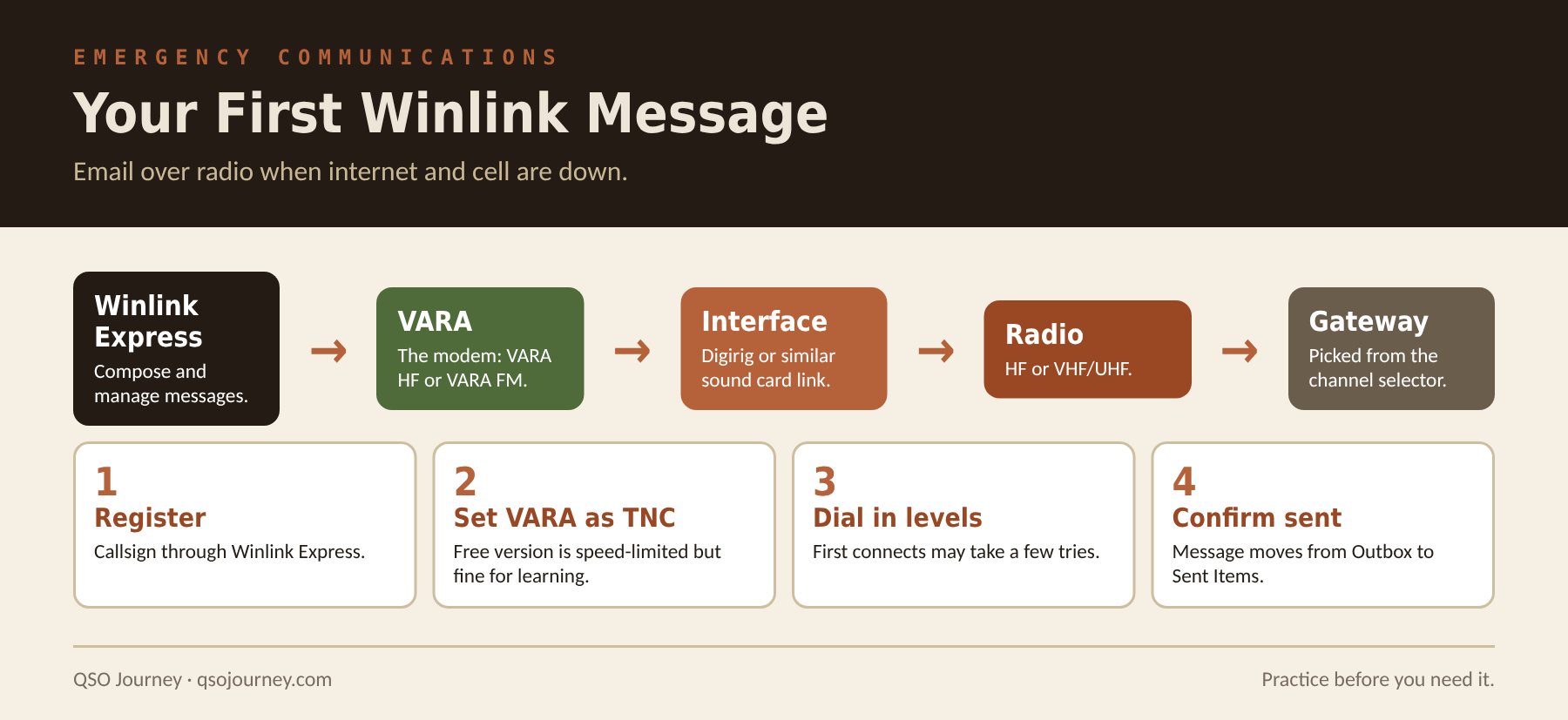
- Install Winlink Express and register your call sign through it.
- Install VARA HF or VARA FM from the developer’s site, and open it once on its own to confirm it starts. The free version is speed-limited but plenty for learning and routine text.
- In VARA, pick the sound card input and output that match your radio interface.
- In Winlink Express, open a VARA HF or VARA FM session. It launches the modem and connects to it over local network ports automatically.
- Set up radio control, either CAT through Winlink Express or VOX on the interface, so the radio keys when VARA transmits.
- Set the audio drive so the radio’s ALC stays low while VARA transmits.
The most common first-connection problems are audio levels set too high or too low and the wrong sound device selected. If a connection attempt never gets a response, check those before blaming the gateway.
Connecting to a Gateway and Sending Your First Message
Winlink Express has a channel selector that lists nearby gateways with their frequencies and expected reliability. Pick one with good predictions for your location, tune the radio to match, and let VARA handle the handshake. First connections can take a few tries while you dial in audio levels. Compose a short test message to your own Winlink address, connect, and let it transfer. When it moves from the Outbox to Sent Items, it actually sent rather than just queued.
Picking the Right Session Type
- VARA HF: HF gateways at regional or longer distances. The free version runs slower, which is fine for short text.
- VARA FM: VHF/UHF gateways within line of sight, noticeably faster than 1200 baud packet when both ends support it.
- Packet: the original 1200 baud VHF/UHF mode, still useful where local gateways haven’t moved to VARA FM.
- Peer-to-peer: a direct connection to another Winlink station with no gateway or internet involved, which matters when the gateways themselves are down.
Try a peer-to-peer session with a local ham at least once. It’s the mode most likely to matter if regional internet is really down. Practicing now, when nothing is wrong, is the only way Winlink will work smoothly when something is. Regular practice nets help, which I cover in NBEMS and Practice Nets.
Pat: Winlink for Mac, Linux and Raspberry Pi
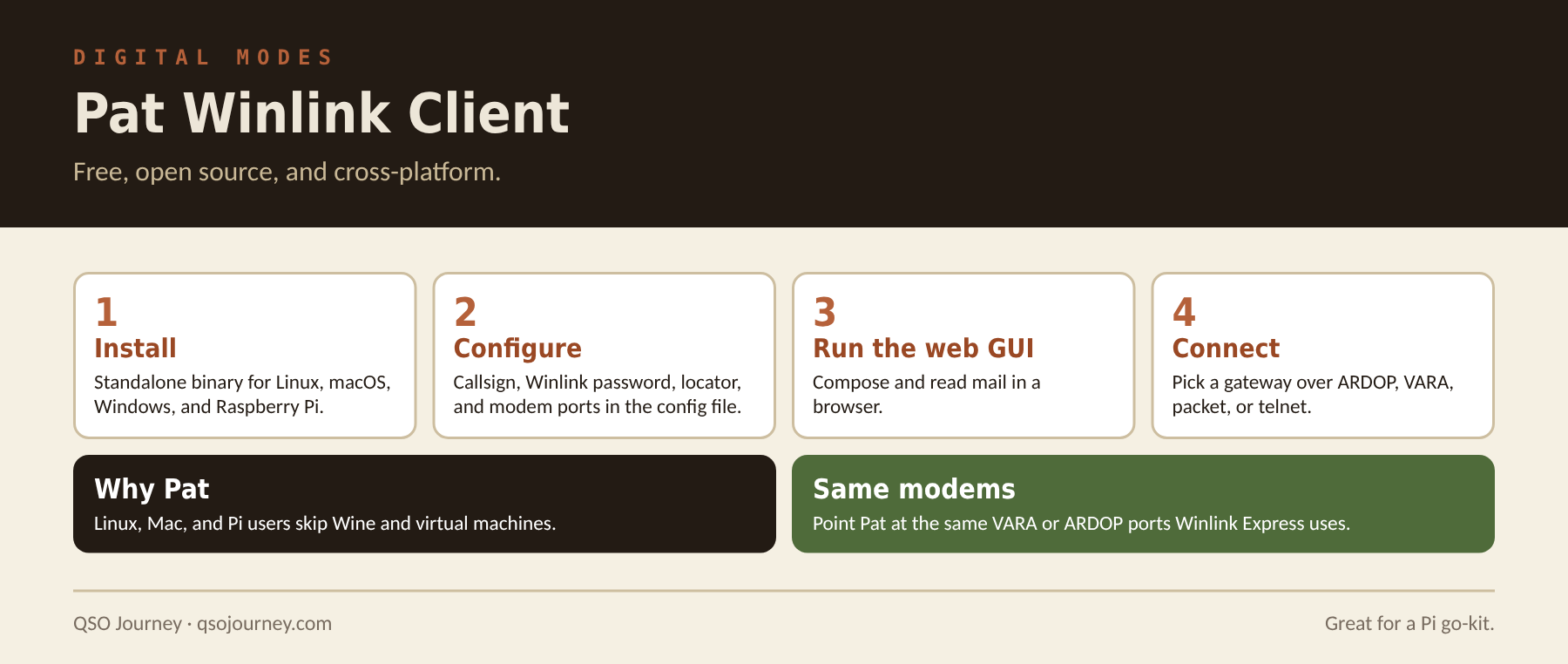
Winlink Express is Windows-only. Pat is a free, open-source, cross-platform Winlink client that fills the gap, with a clean web interface you use in a browser. It handles the core workflow: composing and sending messages, connecting through ARDOP, VARA or packet, and managing forms. If you already run ARDOP or VARA, pointing Pat at the same modem is usually just matching the TCP port settings.
- Install Pat for your platform. It’s a standalone program.
- Run
pat configureand enter your call sign, Winlink password and grid locator. - Add the address and port for your modem: ARDOP, VARA, or a packet TNC like Dire Wolf.
- Add rig control through Hamlib if you want Pat to set the radio frequency.
- Start the web interface with
pat httpand open it in a browser on the same machine or another device on your network. - Send a short test message to yourself through a nearby gateway.
On a Raspberry Pi go-kit, the web interface means you can operate from a phone or tablet over the Pi’s own Wi-Fi, with no keyboard or monitor in the field. For what to do with Winlink once it works, see ICS-213 and message formats.