

Part of our Getting Licensed: A Beginner’s Path Into Ham Radio guide.
As a Volunteer Examiner, I see the same thing at almost every test session: people who studied hard, but studied from an old book, an outdated app, or a stack of flashcards that never told them where they were weak. So I built a study tool right here on QSO Journey. The Exam Trainer is free, it covers all three license classes, and it keeps track of your progress so you know when you are actually ready to sit the exam.
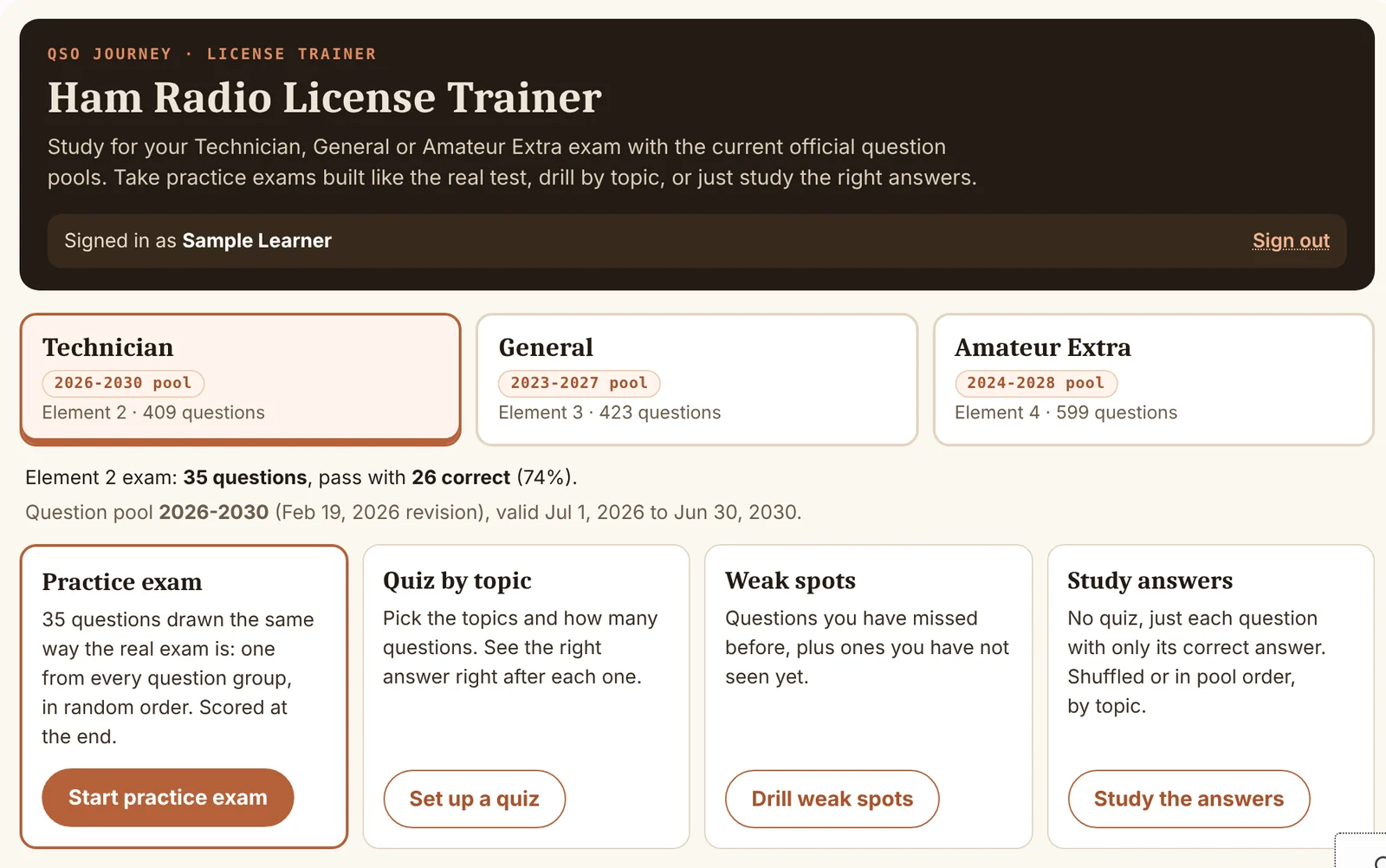
Built on the current question pools
Every question on a real amateur radio exam comes from a public question pool written by the NCVEC Question Pool Committee. The trainer uses the pools that are in effect right now, with every correction (errata) applied and every withdrawn question removed:
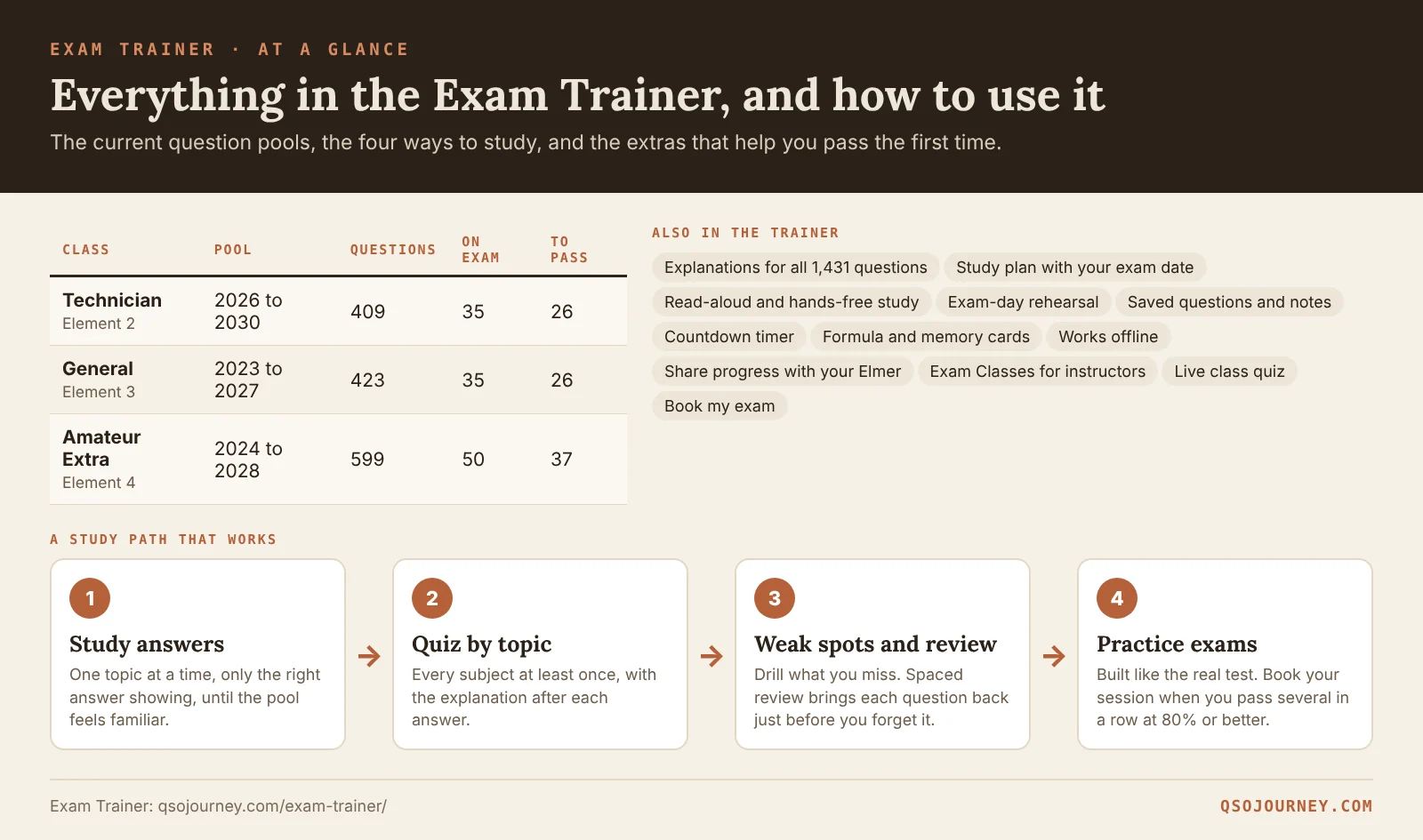
- Technician (Element 2): 2026-2030 pool, 409 questions. Your exam is 35 questions, and you need 26 to pass.
- General (Element 3): 2023-2027 pool, 423 questions. Also 35 questions with 26 to pass.
- Amateur Extra (Element 4): 2024-2028 pool, 599 questions. 50 questions, and you need 37 to pass.
The pool version is shown on every screen, so you never have to wonder whether you are studying the right material. That matters most for Technician, since the pool changed on July 1, 2026 and a lot of older study material is still floating around. The schematic figures for the circuit questions are included too.
The main ways to study
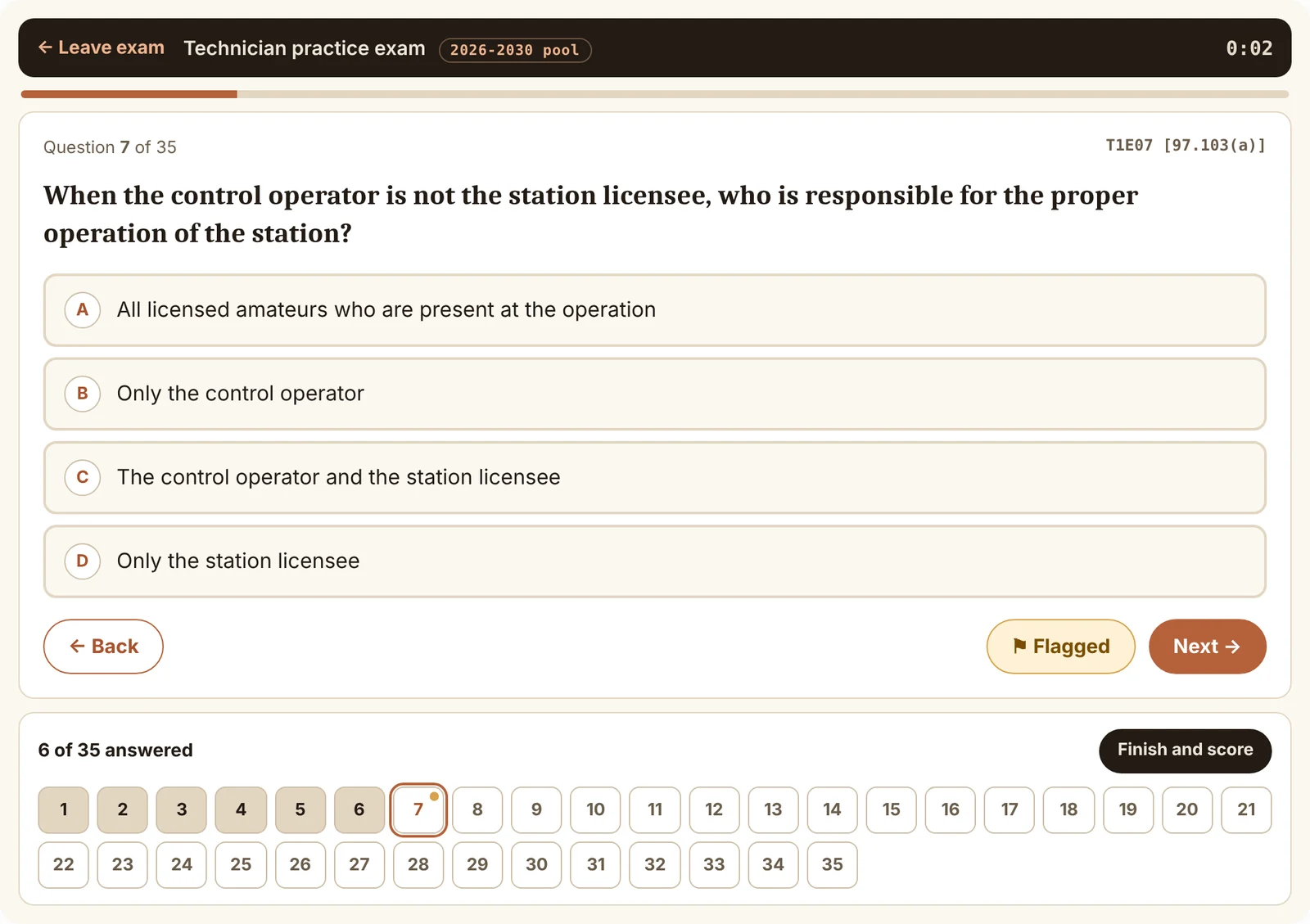
- Practice exam. Built the same way your real exam is: one random question from every question group, in random order, with the answer choices shuffled. You can flag questions, jump around with the question grid, and see your score at the end, along with a breakdown by topic and every question you missed.
- Quiz by topic. Pick the subjects you want (rules, propagation, electrical principles, safety and so on) and how many questions, and see the right answer right after each one. You can also limit it to questions you have not seen yet, or ones you missed before.
- Weak spots. One tap drills the questions you keep getting wrong.
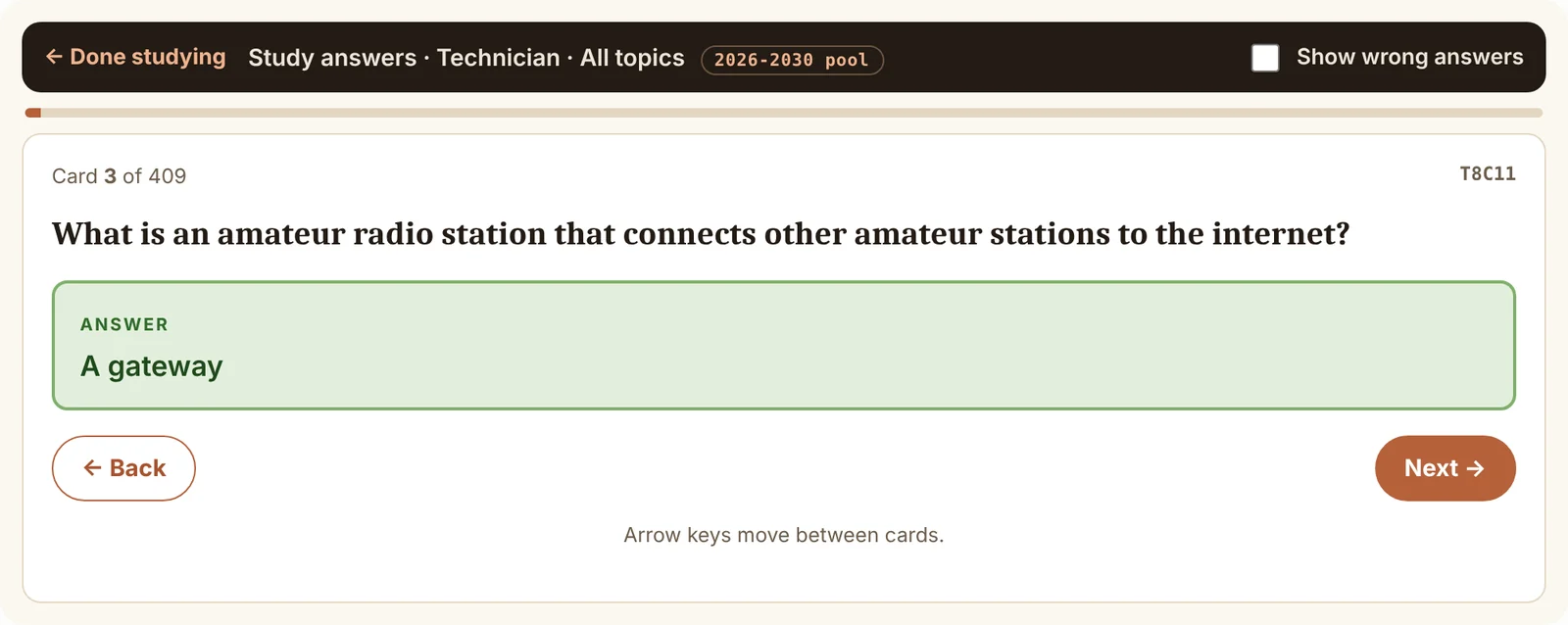
- Study answers. No quiz at all. Just each question with only its correct answer, shuffled or in pool order, one card at a time or as a searchable list. This is the fastest way to get familiar with a pool before you start testing yourself.
New: explanations for every question, and more
Since launch I’ve added a lot. The biggest change: every question in all three pools, all 1,431 of them, now has a short, plain-English explanation of why the right answer is right. You see it right after you answer in a quiz, on every study card, and when you go back over an exam. Math questions show the worked steps, so you learn the method instead of memorizing a number. Here’s what else is new:
- Review due. Spaced review brings each question back just before you would forget it. Miss one and it comes back right away; get it right and it waits longer each time.
- Saved questions. Tap the star on any question to save it, then quiz or study just your saved ones.
- Countdown timer. Practice exams can run a 30, 45 or 60 minute countdown if you want to practice a steady pace.
- Formula and memory cards. The math, band edges and memory tricks for each exam on one printable page.
- Zoomable figures. Tap a schematic or chart to look at it up close, which helps a lot on a phone.
- Works offline. Add the trainer to your phone’s home screen and practice with no signal. Your results upload when you are back in range.
- Streaks and badges. A little motivation to study a few minutes every day. Not your thing? Hide them with one tap.
- Passed? Next steps. Booking your exam, your FRN, the FCC fee, finding your new call sign and making your first contact.
- Report a problem. Spot a typo or something that looks wrong? Every question has a link to tell me.
Every question also has its own page now, with the correct answer and the explanation. You can browse every Technician, General and Extra question by topic. That’s handy when one question keeps tripping you up and you want to look it up, or when you want to send it to someone you are helping. For example, here is T5D04, an Ohm’s law question.
Even more: study plans, read-aloud, exam-day rehearsal and live quizzes
The trainer has kept growing. Here is everything in it now, on one page, with the study path I recommend:
- Study plan. Enter your exam date and the trainer works out how much to cover each day so you see the whole pool, and review the hard ones, before the session.
- Read-aloud and hands-free study. The trainer reads each question and answer out loud, so you can study on a commute or a walk.
- Exam-day rehearsal. A practice run that looks and feels like the real session, so the format is not a surprise on the day.
- Personal notes and mix-ups. Add your own note to any question, and see the pairs of questions you keep confusing with each other.
- Weekly progress email. A short summary of what you studied and your estimated score, if you want it.
- Display options. Dark mode, larger text and high contrast.
- Your license on your profile. When you sign up, enter your call sign (or “Not yet”) and license class. The class is checked against the FCC record, and the classes you already hold are marked as passed.
- Book my exam. When your scores say you are ready, send a request for an exam session right from the trainer.
- Question of the day. One question a day to keep the pool fresh, even on days you do not sit down to study.
For instructors: on top of Exam Classes, there is a live class quiz you can run on a projector while students answer on their phones, a Most-Missed Questions report for your class, and reminder emails for assignments that are coming due.
Sign in to track your progress
You can practice as a guest, but a free account is where the trainer really pays off. Every practice exam, quiz and study session is saved, and you get:
- An estimated exam score based on what you have answered and how your recent practice exams went.
- Your best practice exam, how many you have passed, how much of the pool you have seen, and how many questions you have mastered (right twice in a row).
- A progress bar for every topic, so you can see exactly where to spend your time.
- Your full training history, with a review of every exam and quiz you have taken.
Leave in the middle of a practice exam and it picks up where you stopped. And if you take an exam as a guest, then make an account, that score is saved to your history.
Share your progress with your Elmer
Every account comes with its own private progress link. Send it to your Elmer, your club, your family, or the VE team you plan to test with, and they can see your practice exam scores and how far through the pool you are. They never see your email address. You can turn the link off at any time, or make a new one if you shared it with someone you shouldn’t have.

This is the part I am most excited about. Mentoring works best when the mentor knows where you are stuck, and a shared link makes that easy. If you are helping a new ham study, ask them for their link.
How I would use it
- Spend a few sessions in Study answers, one topic at a time, until the pool feels familiar.
- Switch to Quiz by topic and work through every subject at least once.
- Run Weak spots every day until the missed list is short.
- Take full practice exams. When you are passing them comfortably, several in a row, book your test session.
When you get to that point, read Finding a VE Test Session Near You (and What to Bring) and VE Session Day-Of: What Actually Happens During Your Exam. If you are deciding between a local session and an online one, Remote vs In-Person VE Testing covers the differences.
Not just for new hams
The General and Extra pools are in there too. If you already have your Technician ticket and want HF privileges, General Class Deep Dive: What Changes When You Upgrade explains what you get, and the trainer gets you there. Thinking about going all the way? Read Extra Class Deep Dive: Is the Upgrade Worth It? first. Not sure which license to start with? Getting Your Ham Radio License: Technician, General, and Extra Explained lays it out.
Clubs are welcome to use it for license classes as well. It is listed on our club tools page, and our Tech Sessions are a good place to bring questions you get stuck on.
Running a license class? The trainer now has Exam Classes. Create a class, share its join code, and assign topic quizzes or practice exams with due dates. You see each student’s estimated score, how much of the pool they have covered, their weakest topics, and who has finished which assignment. If you are a VE or an instructor and would like to run a class here, get in touch and I will set you up with a VE / Trainer account.
Related reading on QSO Journey
- Getting Licensed: A Beginner’s Path Into Ham Radio (the complete guide)
- Start Here: A New Ham’s Guide to Getting On The Air
- Getting Kids and Teens Licensed: Programs, Camps, and What Actually Works
- Volunteer Examiners: Becoming a VE, ExamTools, Remote vs In-Person
Questions, a bug, or a feature you would like to see? Let me know. Good luck on your exam. 73, Kris KZ7K