
Part of our Emergency Communications and Preparedness guide.
A family comms plan is only as good as the gear behind it on the day you need it. That means the right frequencies written down, a backup for every piece, batteries that actually hold a charge, power that lasts longer than a day, and a kit that survives rain and time. This guide covers all of it in the order I’d build it.
Jump to: The frequency card · Two is one · Grid-down runtime · Backup power · Storing batteries · Waterproofing · Faraday box · The comms binder · An inventory you’ll keep up
What Frequencies Belong on Your Family Comms Card

- Start with what everyone can legally use. FRS channels 1 through 22 need no license and work in any blister-pack radio. MURS, five VHF channels, also needs no license. It’s limited to the same 2 watts as FRS, but it allows external and mobile antennas, a real range advantage if you own MURS-capable radios. Neither is a serious primary, but both belong on the card as a fallback anyone can use.
- Add GMRS once you’re licensed. One GMRS license covers the whole household under one call sign. Put a simplex channel on the card as the default and a reliable local GMRS repeater as the extended-range option. This is usually the workhorse tier: better range than FRS and still simple for a non-technical family member. FRS and GMRS share the same 22 channels, so a GMRS radio can talk to a cousin’s FRS radio on a shared channel. The FRS radio stays at its own power limit, and the repeater is for licensed users only.
- Ham frequencies for licensed members. Add 146.520 MHz, the 2 meter national simplex calling frequency, plus your go-to local repeater with offset and tone. This is the layer for when GMRS range isn’t enough, and it only works if the licensed operators know it cold.
That maps straight onto PACE: primary, alternate, contingency, emergency, roughly FRS, GMRS and ham in order of complexity. Write actual channel numbers and frequencies, not just the service name. Nobody remembers a repeater offset during an emergency, and the whole point of the card is that they shouldn’t have to. The Family PACE Plan Builder prints it for you, and SHTF Frequencies Every Ham Radio Should Have Programmed covers the wider list.
Two Is One: Redundancy at Every Layer
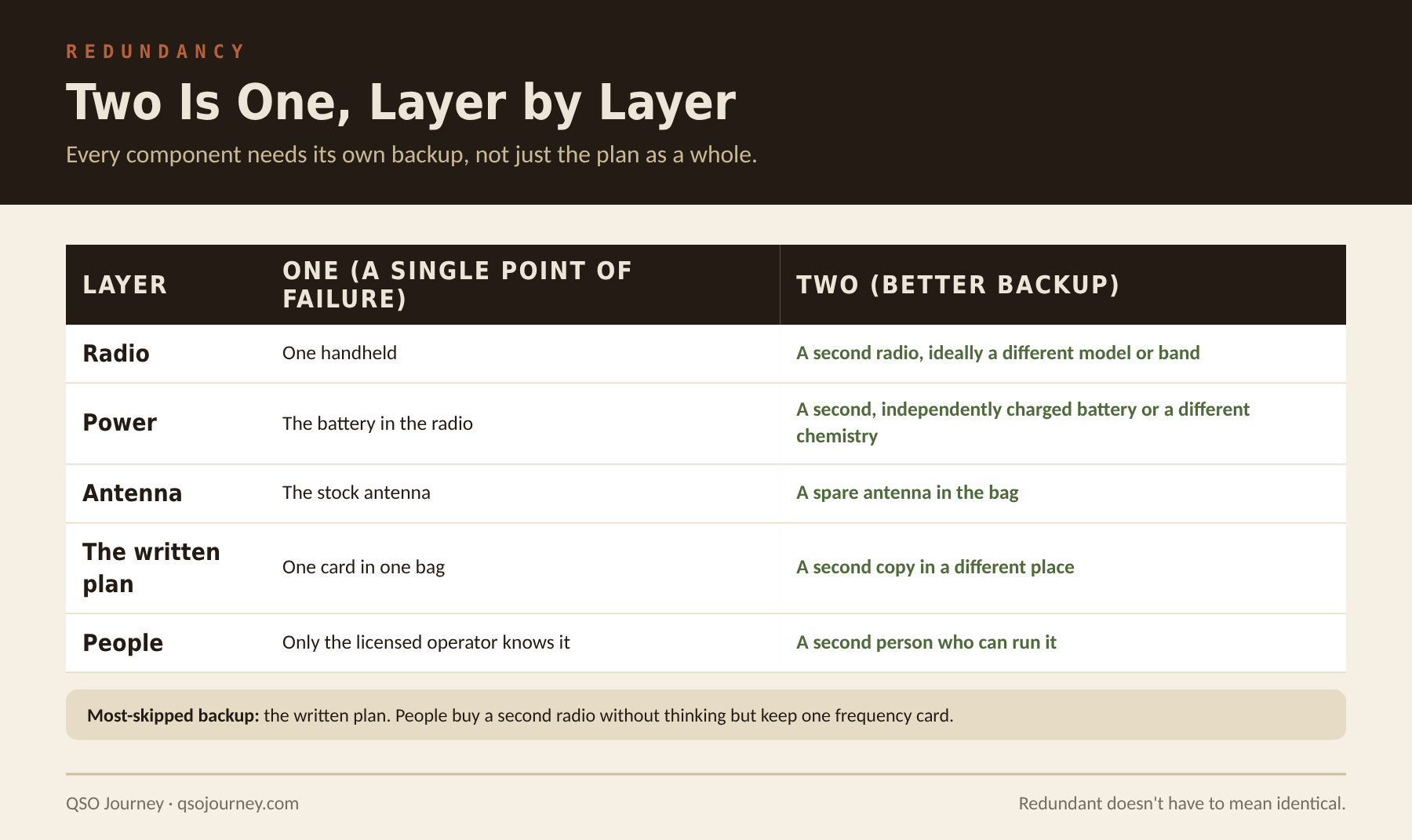
One radio, one battery, one antenna, one frequency written in one place: each is a single point of failure, however solid the plan looks on paper. Redundancy has to exist at the component level. A second radio of the exact same model bought at the same time is an improvement, but it doesn’t protect you from a design flaw or bad batch affecting both. Where it’s practical, mix brands or at least battery chemistries.
The most commonly skipped backup is the written plan. People buy a second radio without a thought but keep one copy of the frequency card, usually in the one bag that might not make it out the door. The checklist:
- A second radio, ideally a different model or band than your primary
- A second, independently charged battery or power source
- A second copy of the written plan in a different location
- A second person who knows the plan besides the primary operator
The same layered thinking is behind why a single-band radio isn’t enough for SHTF.
How Long Will Your Kit Actually Run When the Grid Is Down?
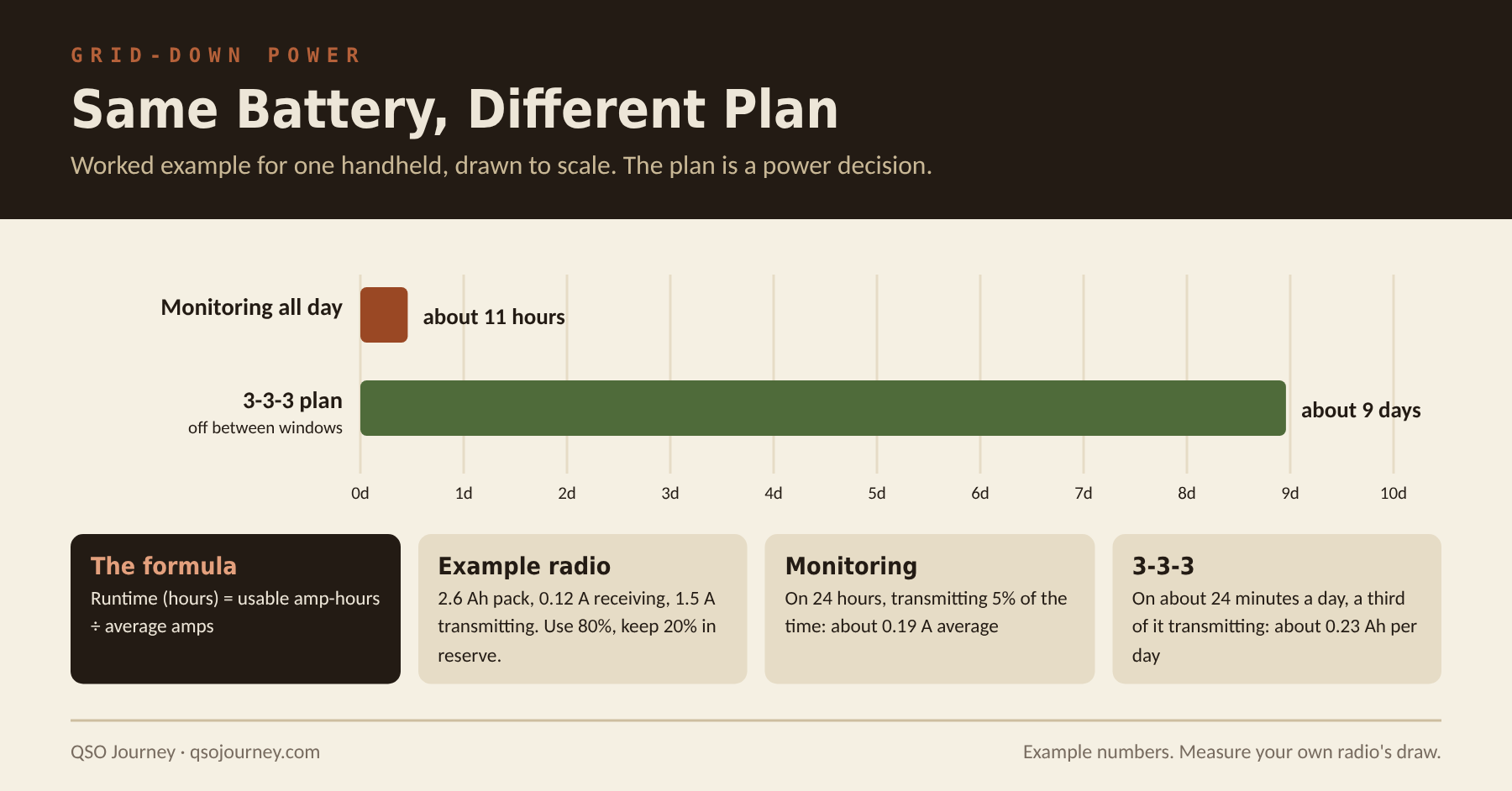
A handheld pulling 1.5 amps on transmit and a fraction of that on receive is a completely different power budget than an HF rig pulling 20 amps at full output. The spec sheet number is the worst case, transmitting continuously at full power, which isn’t how a comms plan uses a radio. Estimate the real split between receive and transmit, because receive current is what your battery mostly sees.
Take the 3-3-3 radio plan as the example: check in every 3 hours for 3 minutes, radios off between windows. A handheld is on about 24 minutes a day. As a worked example, a 2.6 Ah pack drawing about 0.12 A on receive and 1.5 A on transmit, with 20 percent held in reserve, lasts roughly 11 hours monitoring around the clock and roughly nine days on a 3-3-3 schedule. The plan itself is a power decision.
Whatever the math says, treat the last 20 percent as untouchable except for a real emergency transmission, the same logic as never running your car below a quarter tank during storm season. A plan that runs the battery to zero on routine check-ins has nothing left for the one call that matters. To run the numbers for your own gear, use the Power Calculator.
Backup Power for the Shack: Batteries, Solar and a Generator
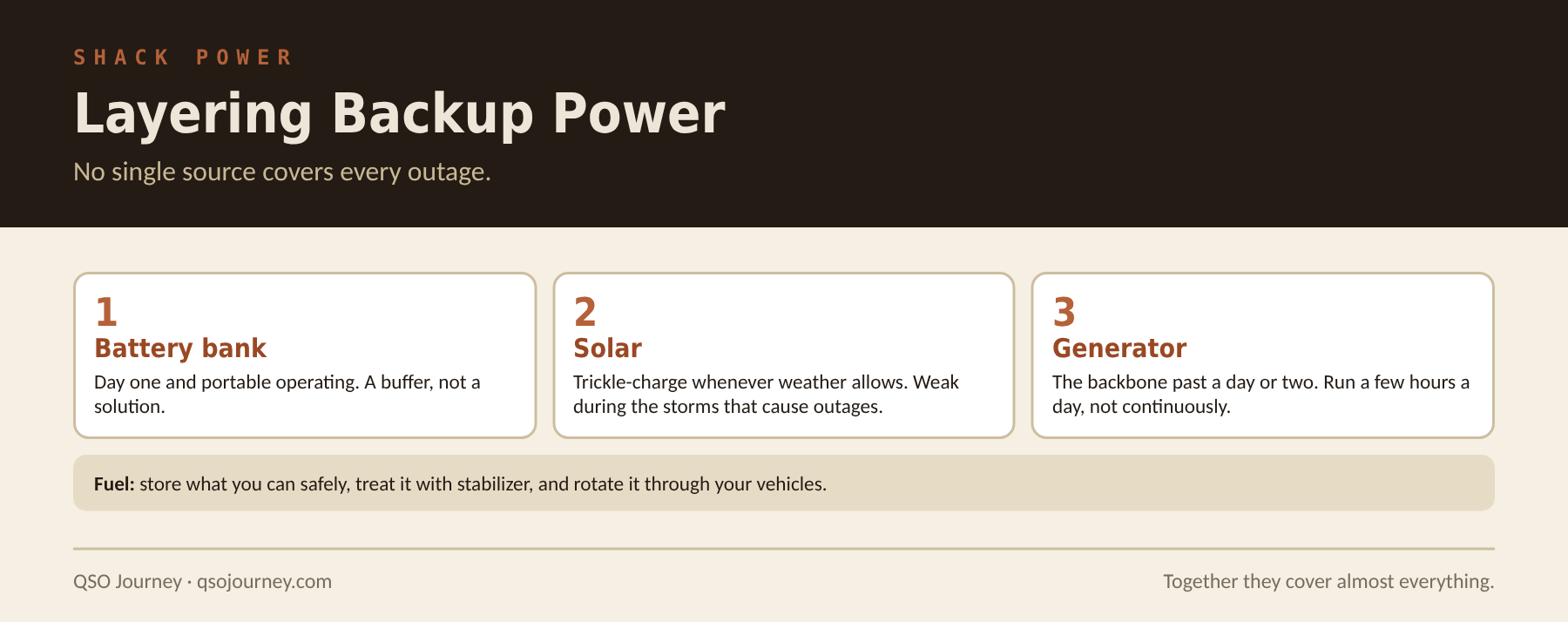
- Battery banks are good for hours, not days. My 100Ah LiFePO4 battery box is great for a field kit or a short outage, but run a base HF radio, a couple of charging HTs and a logging laptop off it continuously and you’re recharging within a day.
- Solar is great if the sun cooperates. A panel and charge controller turn a short buffer into something closer to sustainable, especially here in Arizona. But the multi-day storm that knocked the grid out is often the same weather that leaves your panels producing next to nothing. It’s a daily supplement, not a sole source. Budget it as an extension of your battery reserve.
- A generator is the answer for multi-day outages. A small inverter generator sized for your radio, a charger and basic household loads like a fridge and lights is usually enough. Run it a few hours a day to recharge batteries rather than continuously and your fuel lasts much longer than people expect.
- Rotate the fuel. Store what you can keep safely, treat it with stabilizer, and rotate it through your vehicles so stale gas isn’t why the generator won’t start.
How I layer it: the battery bank for the first day and for portable work, solar to trickle-charge when weather allows, and a generator as the backbone past a day or two. None of them covers every scenario alone. Together they cover almost all of them.
Storing and Rotating Batteries
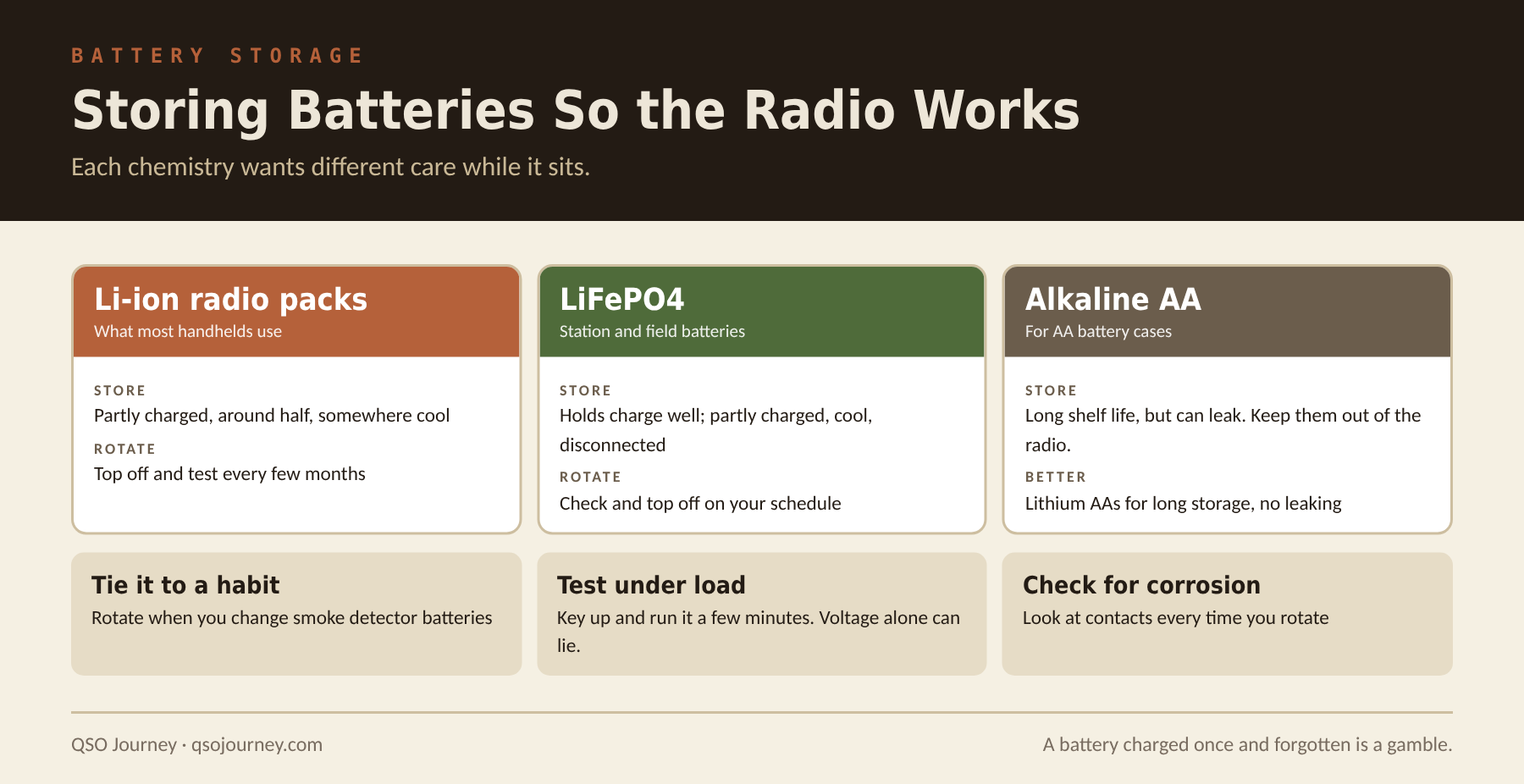
Self-discharge, chemical aging and time all reduce a battery’s real capacity even if it’s never used. A go-bag radio charged once and left for a year is a gamble.
- Li-ion radio packs last longest stored partly charged, around half, somewhere cool, then topped off and tested every few months.
- LiFePO4 holds its charge well in storage, which is part of why I lean on it for my own power.
- Alkaline AAs have a long shelf life, which makes them smart for a radio with an AA case that sits in a go-bag. They can leak, so store them outside the radio and check the contacts when you rotate. Lithium AAs store even longer and don’t leak.
- Tie rotation to something you already do, like the weekend you change smoke detector batteries. A schedule you have to remember on its own rarely survives a year.
- Test under load. A battery can read a healthy voltage and still collapse the moment a radio transmits. Key up and run the radio for a few minutes during practice instead of trusting a voltage reading.
Charging and stocking batteries is one of the steps in my Start This Week SHTF prep checklist.
Waterproofing a Go-Bag Radio

A radio that survives drops and rough handling can still die instantly in a rainstorm or a creek crossing. Water damage is often immediate and total.
- Stowed: a dry bag or a quality zip-top freezer bag costs almost nothing. The common mistake is protecting the radio only while it’s packed, not while it’s being carried and used in the rain.
- Read the IP rating. The second digit is the water rating. IPX4 means splashes, IPX5 and IPX6 mean water jets, IPX7 means tested at 1 meter for 30 minutes, and IPX8 means deeper or longer, as the maker specifies. Rugged-looking isn’t waterproof, and the ratings assume port covers and the battery are seated. They usually don’t extend to a speaker mic in the side jack.
- Ports are the weak point. A rubber port cover, often included and frequently lost, matters more than the rest of the case.
- If it gets soaked, pull the battery right away instead of checking whether it still works, since power through wet circuits does the lasting damage. Rinse salt water off with fresh water, then dry completely with ports open before reinstalling the battery.
- Test within the rating. Real rain, or a light hose test only if it’s rated IPX5 or better. A hose can kill a radio rated only for splashes.
A Faraday Box for Your Backup Radios

An EMP is a low-probability, high-consequence risk, and a Faraday box for at least one backup radio is a cheap enough hedge to be worth doing even if you think the odds are small. A properly built enclosure blocks the fast pulse from a high-altitude nuclear detonation, which can couple into small unshielded electronics. A severe geomagnetic storm is a different threat: it mainly induces currents in very long conductors like power lines, so the grid is at real risk while an unplugged handheld on a shelf is not.
- Use what you have. A steel ammo can or a galvanized trash can with a tight lid works. The catch is the seal: an ammo can’s rubber gasket isn’t conductive, so bridge it with aluminum foil tape folded over the gasket or a conductive gasket. On a trash can, tape the lid seam. What matters is a continuous metal shell with no significant gaps.
- Insulate what goes inside. Wrap each item in cardboard or cloth so it doesn’t touch the shell. A spare handheld, spare batteries and a small solar charger are the highest-value items.
- Test it. Put a phone or handheld inside, close it, and call it or key a second radio on the same frequency. If it still rings or receives, there’s a gap, almost always at the lid. Passing doesn’t prove it would survive a real pulse, but a box that can’t block a phone signal certainly won’t.
- Know its limits. It protects only what’s inside from that one threat. Your daily radios get nothing from a box in a closet, so it supplements redundancy rather than replacing it.
What I actually keep in mine is in my Faraday cage radio gear list, and the threat itself is covered in what a nuclear EMP does to HF, VHF and UHF.
Building a Comms Binder
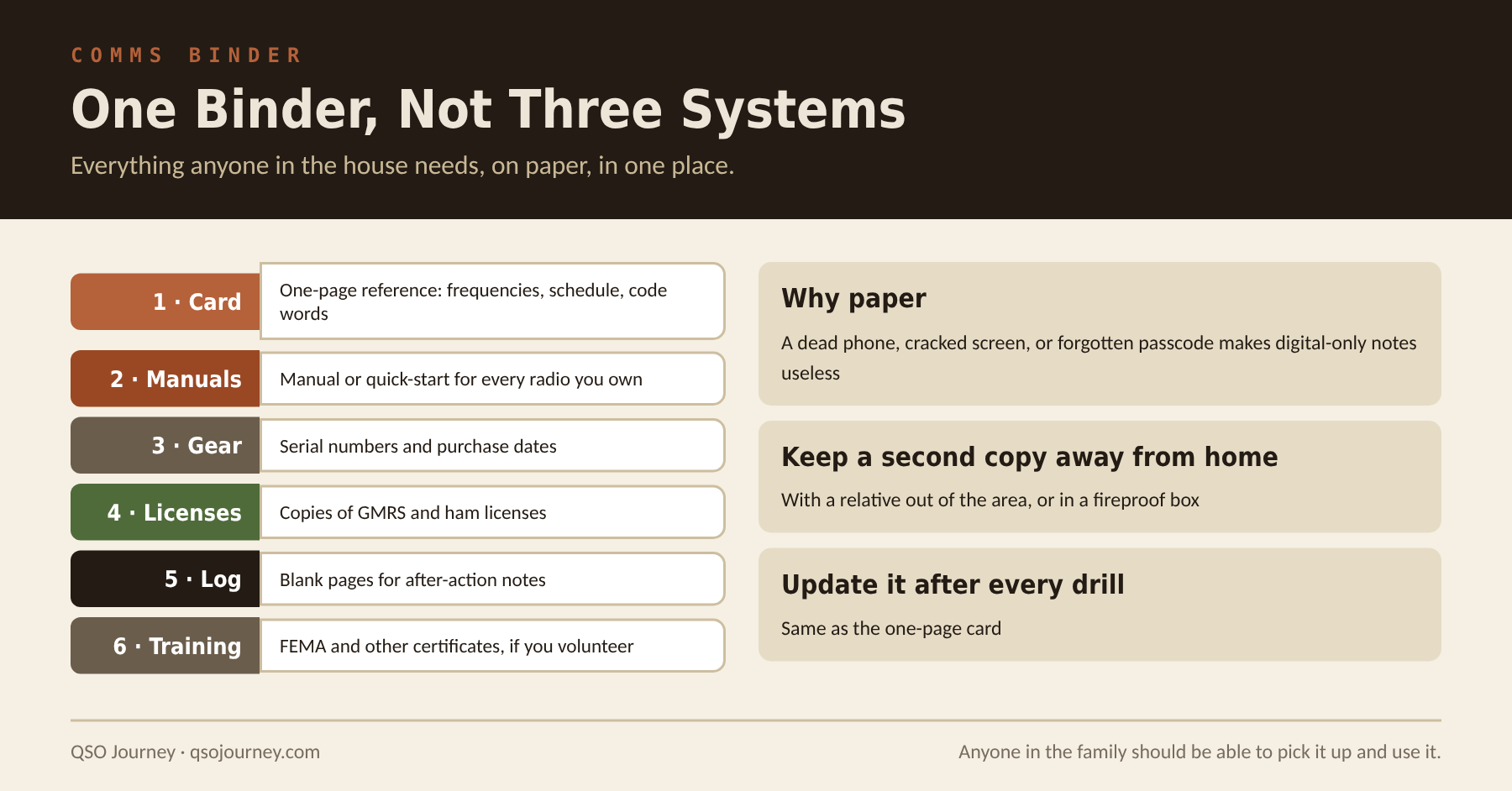
If the frequency card lives in one app, the manuals in a garage box, and the plan in the licensed operator’s head, you don’t have a system. You have three incomplete ones. A single physical binder means anyone in the house can pick it up and have everything:
- The one-page reference card: frequencies, schedules and code words
- Printed manuals or quick-start guides for every radio you own
- Serial numbers and purchase dates, for insurance and warranty claims
- Copies of GMRS and ham licenses
- Blank log pages for after-action notes from drills
- If you volunteer with ARES, RACES or CERT, your training certificates. Your emergency coordinator will ask for your FEMA ICS courses.
Paper survives what phones don’t: a dead battery, a cracked screen, a forgotten passcode. Keep a second copy with a relative outside the area or in a fireproof box. EmComm Hub can print a Family Binder or a Club Binder in one click from information you enter once. The one-page format is in documenting your SHTF communications plan.
A Go-Kit Inventory You’ll Actually Keep Up
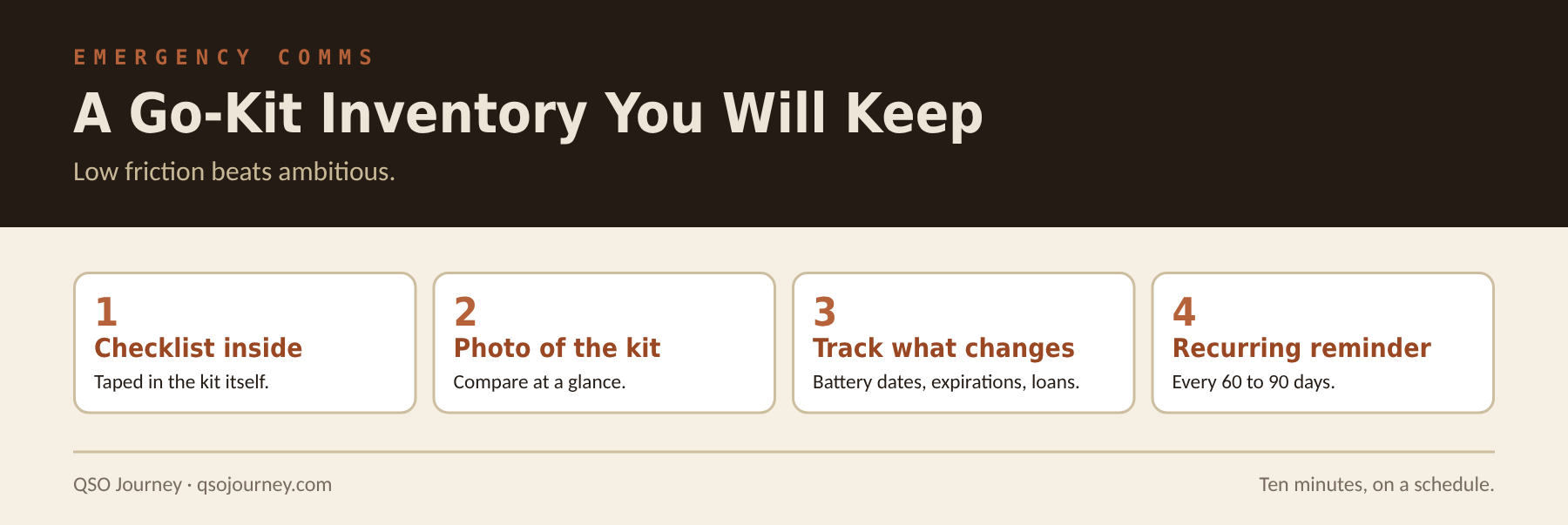
Every inventory is accurate the day you build it and drifts as batteries get swapped, gear gets borrowed and dates pass. The fix isn’t a better one-time spreadsheet. It’s a system low-friction enough that you keep using it.
- A paper checklist taped inside the kit, checked during a quick monthly look, beats a spreadsheet nobody opens.
- Track only what changes: battery charge dates, expiration dates, and whether borrowed items came back.
- A photo of the fully packed kit, updated when something changes, shows at a glance what’s missing.
- Set a calendar reminder every 60 to 90 days for a real hands-on check, and treat it as non-negotiable even if it only takes ten minutes.
If you’d rather be reminded, the Readiness and Go-Box tool in EmComm Hub tracks what needs charging, replacing or checking, offline on your own computer. For what to pack, see Packing an FTX-1 Go-Bag and the 2m/70cm grab-and-go box. Next: practicing the plan.