

Part of our Digital Modes: FT8, Winlink, DMR, APRS, and the Software Behind Them guide.
WSJT-X does the decoding and transmitting, but its screen is spartan. Three free tools fill in the rest: GridTracker turns the band into a live map, JTAlert makes sure you never miss a needed contact and logs everything automatically, and PSK Reporter shows you exactly where your signal is landing. I run GridTracker alongside WSJT-X on my shack computer. Here’s what each one does and how they fit together.
Jump to: GridTracker · JTAlert · GridTracker vs JTAlert · PSK Reporter
What Is GridTracker?

GridTracker is a free program that connects to WSJT-X (and some other digital software) and plots decoded activity on a map in real time. “Grid” refers to Maidenhead grid squares, and as stations are decoded they pop up at their grid location, color-coded and labeled. It listens to what WSJT-X decodes, so once it’s connected you don’t have to do anything special.
- A live map of activity. Every station you decode, plotted geographically, so band openings are obvious at a glance.
- Needed-station tracking. It highlights stations you still need for awards: a new grid, a new state for Worked All States, or a new DXCC entity.
- Alerts when something you need appears, or when a specific call or friend shows up.
- Logging integration with your logbook and LoTW, so its “needed” highlighting is accurate.
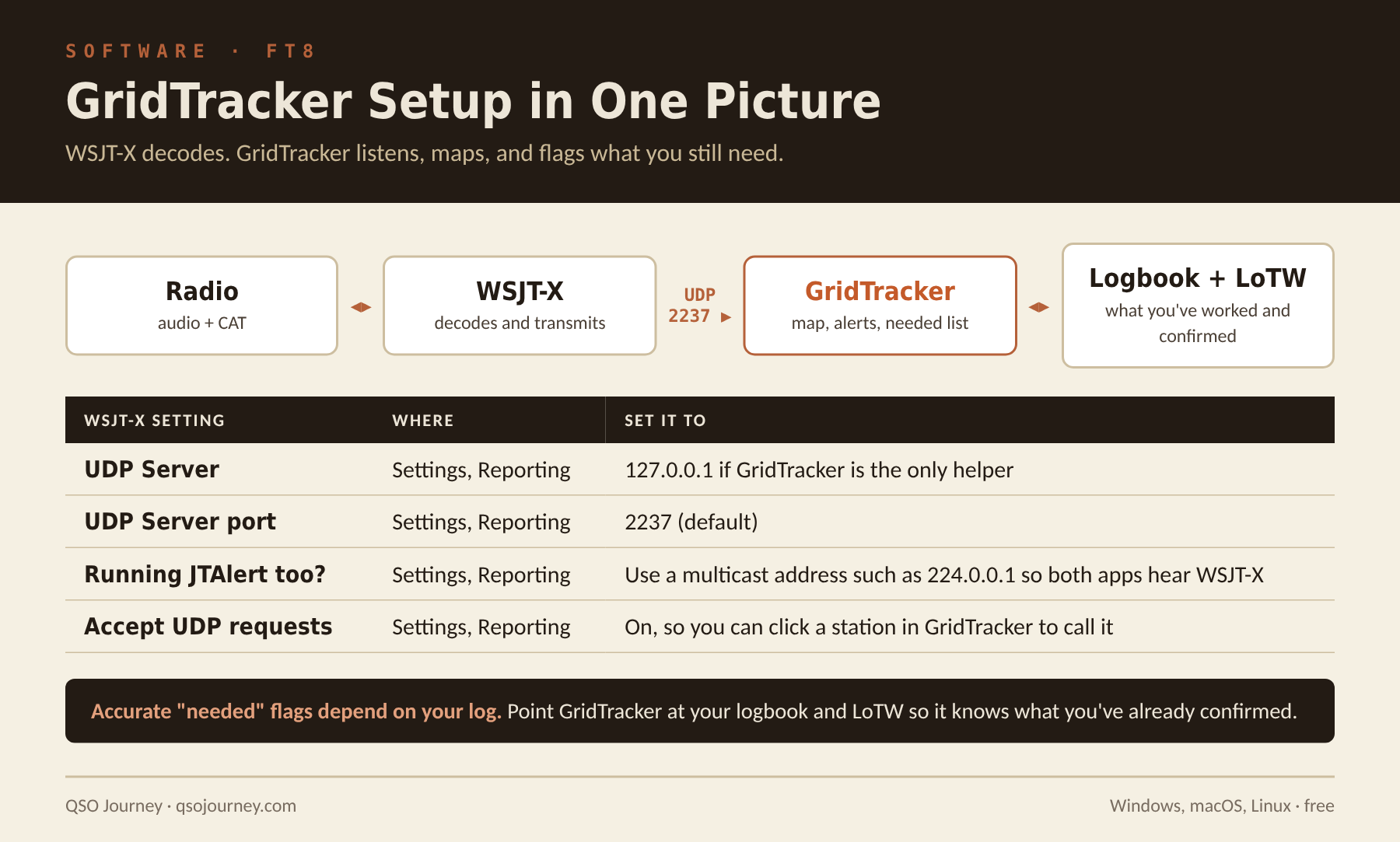
It’s free, runs on Windows, macOS and Linux, and if you’re chasing grids, states or countries on FT8, it turns a fairly plain activity into an engaging one.
What Is JTAlert?
JTAlert is a Windows companion program that watches the stations WSJT-X decodes and adds a layer of intelligence and automation on top. As each cycle decodes, it scans the callsigns and highlights the ones that matter to you, with sounds or visual alerts so you don’t miss an opportunity.
- Alerts for what you need: a new DXCC entity, state or grid, a specific call, or a station you’ve never worked, with color coding and distinct sounds.
- Award tracking checked against your log.
- Automatic logging. Finish a contact and JTAlert can log it to your logging program and push it to QRZ, LoTW, eQSL, HRDLog and Club Log, depending on your setup.
- Callsign details like name and location for the station you’re working.
- Text messaging between JTAlert users through the JTAlert network.
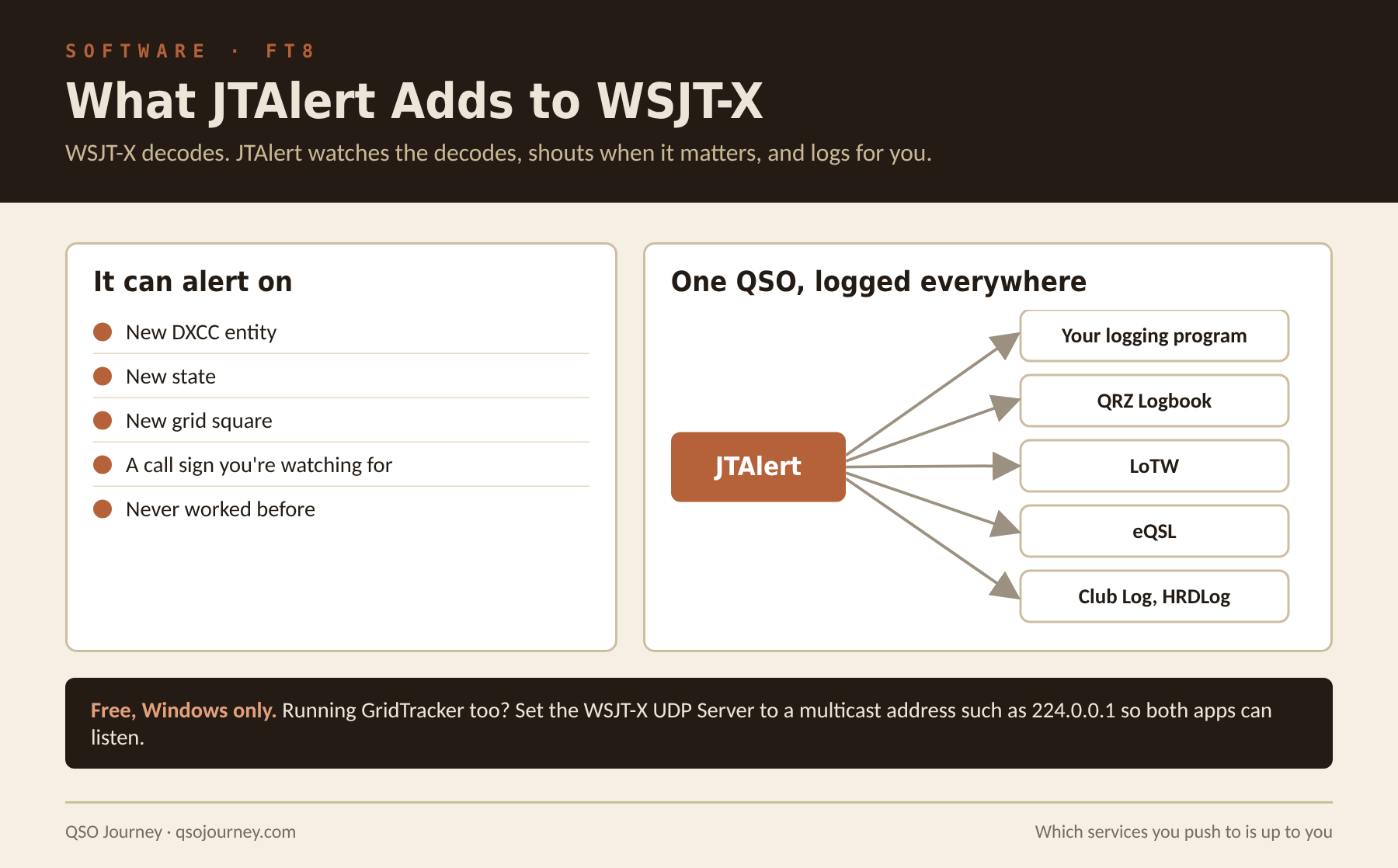
The automatic logging is what makes JTAlert indispensable for a lot of FT8 operators. FT8 racks up contacts quickly, and manually logging and uploading each one to several services gets tedious fast. JTAlert bridges WSJT-X to your logging software and handles the uploads, so your logs stay complete and award credit updates without extra effort.
GridTracker vs JTAlert, and Running Both
The two overlap a fair amount, since both are WSJT-X companions with alerts and award tracking. The rough difference in flavor: JTAlert is focused on alerting and logging automation, while GridTracker leans into the visual, map-based experience. Plenty of people run one or the other and some run both. There’s no wrong answer.
To run both at once, set the UDP Server address in WSJT-X (Settings, Reporting) to a multicast address such as 224.0.0.1, so both programs can listen to WSJT-X at the same time. For the complete install, including getting everything pushing to LoTW, QRZ and PSK Reporter, see Setting Up WSJT-X, GridTracker, HRD and TQSL.
What Is PSK Reporter?
One of the most useful free tools in ham radio answers a simple question: is anyone actually hearing me? PSK Reporter (pskreporter.info) collects reception reports from thousands of stations and plots them on a live world map. Despite the name, which comes from its PSK31 roots, it covers a wide range of digital modes, with FT8 making up a huge share today.
Software like WSJT-X quietly sends reception reports for everything it decodes. With thousands of stations doing that, PSK Reporter builds a near real-time picture of who is hearing whom. Get on the air with a digital mode, search for your call on the site, and the map shows every station that decoded you, often with distance, band and signal strength. You can flip it around to see where another station is heard or what’s being received on a band.
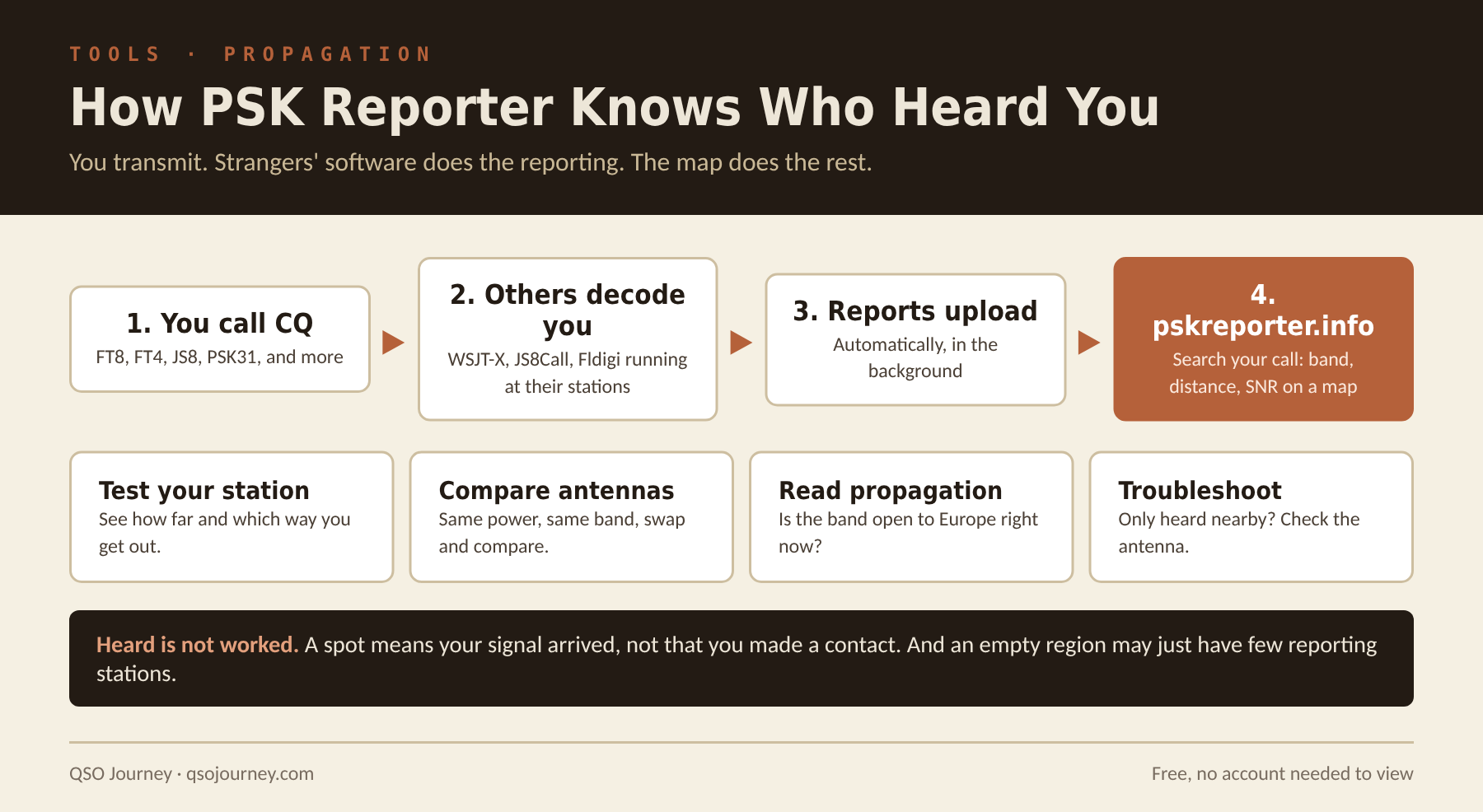
- Testing your station. Transmit a few times and see how far and in what directions you’re getting out.
- Comparing antennas. Transmit on one antenna, switch, and compare the reports. That’s real-world data, not just an SWR reading.
- Reading propagation. See which bands are open to where before you call CQ.
- Troubleshooting. If you’re barely heard, or only heard close by, something in your station or antenna needs attention.
Keep in mind that PSK Reporter shows reception, not a completed contact. A station across the world hearing you doesn’t mean you worked them. It also depends on the reporting network, so an empty area on the map doesn’t always mean your signal isn’t reaching there. Even so, it’s one of the first sites most digital operators open, and if you run FT8 through WSJT-X you’re probably already feeding it. For more ways to measure your real reach, including WSPR, see How to Test Your Antenna and Radio’s Real Reach.
Related reading: Logging Software: Why It Ties Your Whole Station Together · Cloud Logging Compared · Ham Radio Awards Beyond DXCC