

Part of our Getting On The Air: Bands, Operating, and Making Contacts guide.
Getting on a local repeater is the first thing most new hams do, and it’s where the most confusing settings live. This guide walks through it in the order you’ll need it: what offset and duplex mean, how to read the repeater’s listing, who decides which repeater gets which frequency pair, and what to do on simplex when there’s no repeater at all. For tones, see What Is a PL Tone / CTCSS Tone?, and for the bigger picture, Repeaters: How They Work, and Why They’re Not a SHTF Plan.
Jump to: Offsets and duplex · Reading a directory listing · Coordination councils · Simplex calling frequencies
Repeater Offsets and Duplex, Explained Simply
Offset and duplex confuse new hams the most when programming a radio for the first time, mostly because the terms get used loosely. They’re simple once you separate what each one does.

A repeater listens on one frequency and transmits on another at the same time, which is how it retransmits your signal in real time. Your radio has to transmit on the repeater’s input and receive on its output. Since those differ, the radio needs to know how far apart they are and in which direction. That relationship is the offset.
Standard offsets and shift direction
Most bands use a conventional offset so coordinators don’t have to specify it for every repeater: 600 kHz on 2 meters and typically 5 MHz on 70 centimeters. These are conventions, so always check the listing, but on 2 meters 600 kHz is the safe first guess. A common 2 meter pattern is that outputs below 147 MHz use a negative offset and 147 MHz and up use a positive one, so 146.940 transmits on 146.340 and 147.120 transmits on 147.720. Plenty of areas have exceptions, which is why the listing always wins.
Positive offset means your radio transmits above the displayed frequency and listens on the frequency itself. Negative means you transmit below it. A directory listing just says plus or minus, so program the direction it specifies and you never have to think about it again for that repeater.
Where duplex fits in
Duplex here just means transmitting and receiving on two different frequencies. Your handheld or mobile isn’t truly full duplex like the repeater. It can’t transmit and receive at once, but the offset setting makes it jump to the input when you press PTT and back to the output when you release. A quick check is the reverse function many radios have: it swaps the two frequencies so you listen on the repeater’s input. If you can hear the other station directly there, you’re close enough for simplex and can free up the repeater.
Programming a repeater channel means setting four things: receive frequency, offset amount, shift direction, and usually a PL tone. Get those right and the repeater does the rest.
How to Read a Repeater Directory Listing
RepeaterBook and ARRL TravelPlus are the two directories most hams end up using, and both pack a lot into a few columns that aren’t always self-explanatory.
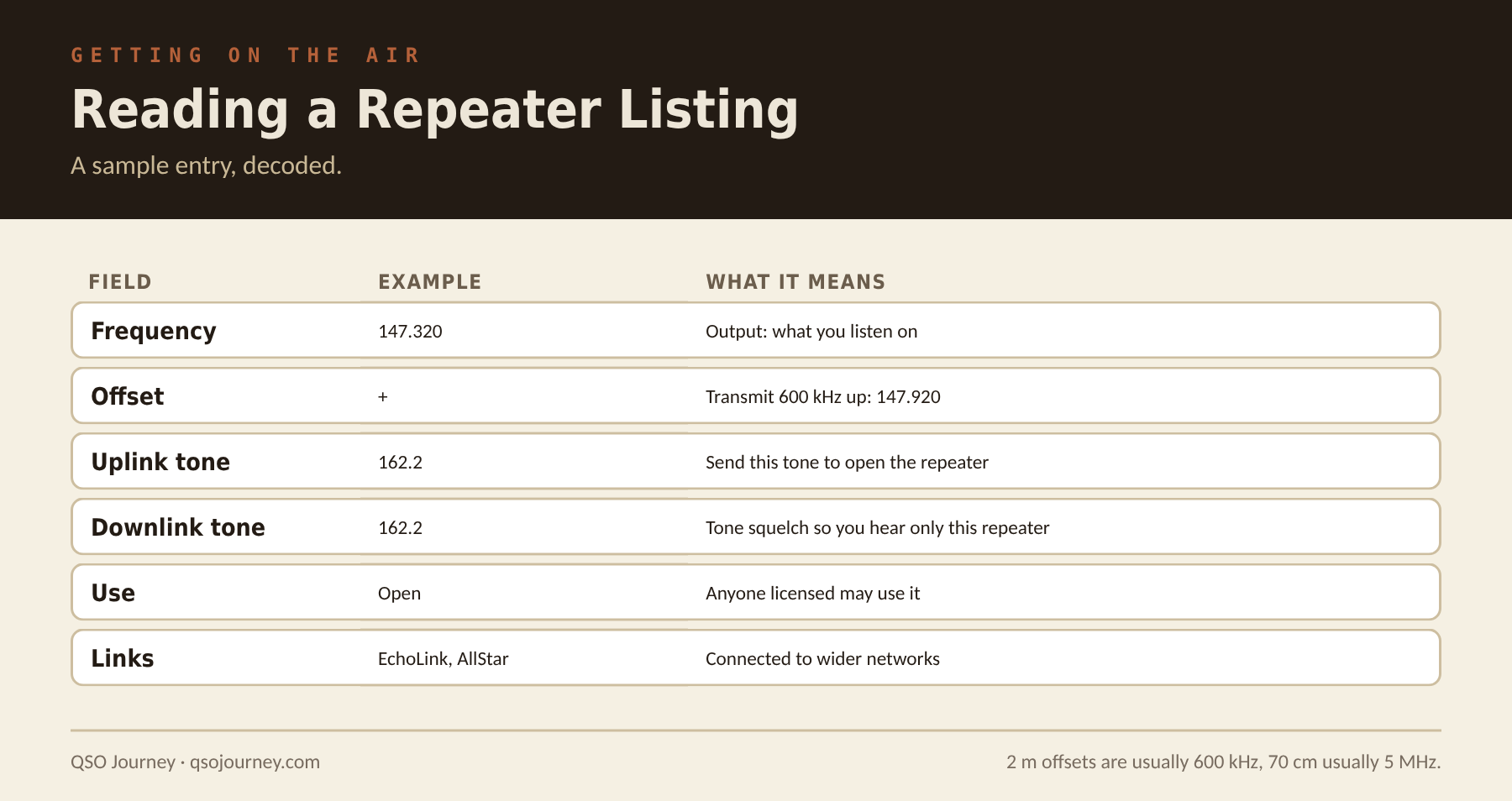
- Frequency and offset: the listed frequency is usually the output, what you receive on. The offset tells you where you transmit. Check the actual value instead of assuming the band standard.
- PL, DPL and tone columns: PL (or CTCSS) is the sub-audible tone your radio sends to access the repeater, and DPL or DCS is the digital equivalent. Some listings show separate uplink and downlink tones. Program both correctly or you’ll hear nothing even though you’re being repeated.
- Status and use codes: open, closed or club-use-only, plus whether it’s linked to EchoLink, AllStarLink or a statewide system. A closed repeater requires membership or authorization, so check before assuming every repeater is fair game.
| Field | Example | What it means |
|---|---|---|
| Frequency | 147.320 | The output, what you listen on |
| Offset | + | Transmit 600 kHz up, on 147.920 |
| Uplink tone | 162.2 | Send this tone to open the repeater |
| Downlink tone | 162.2 | Set tone squelch so you only hear this repeater |
| Use | Open | Any licensed ham may use it |
| Links | EchoLink, AllStar | Connected to wider networks |
On 70 centimeters the standard offset is 5 MHz, and the direction varies by region, so read the listing instead of trusting your radio’s automatic offset. My CHIRP Builder turns a list of local repeaters into a file you can load into a radio.
Repeater Coordination Councils: What They Do and Why It Matters
Every state or region has a frequency coordination council, usually volunteers, quietly doing the unglamorous work that keeps repeaters across a region from stepping on each other.
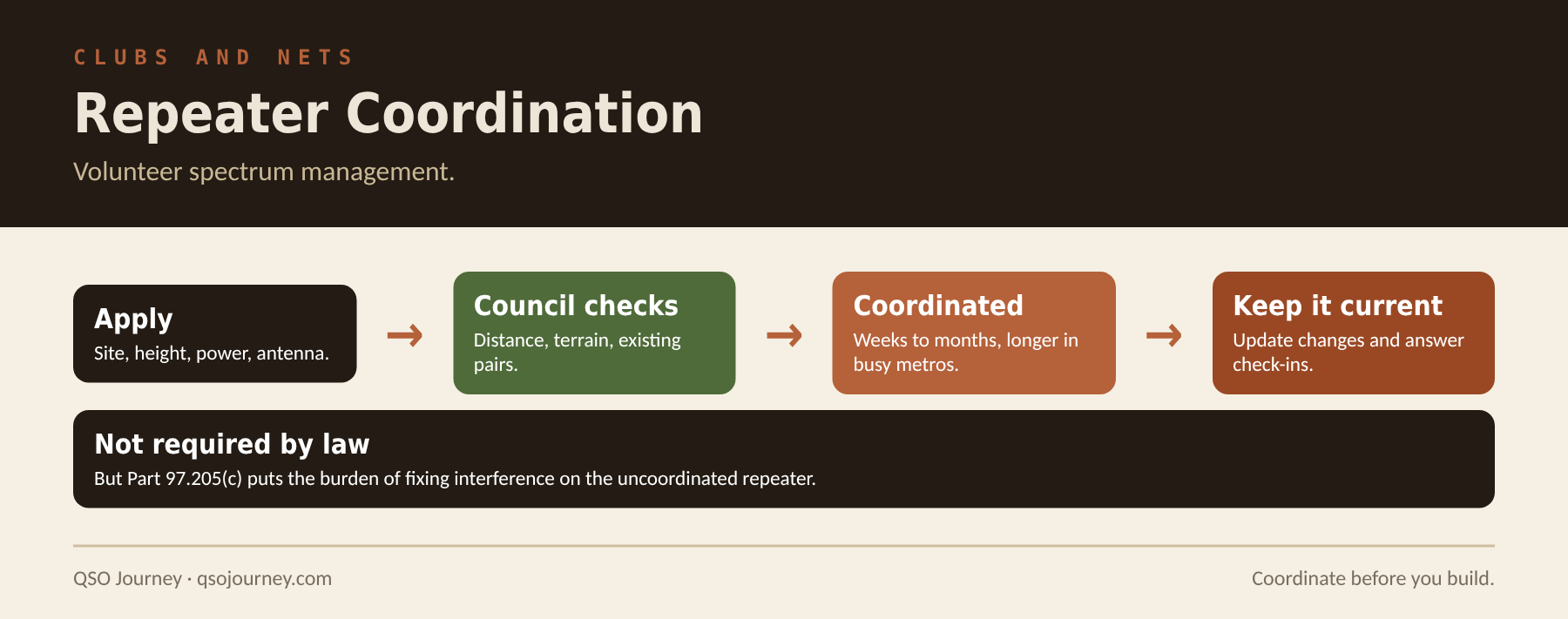
A council keeps a database of repeater frequency pairs, locations and technical details across its area. When someone applies for a new repeater, it checks the application against every coordinated system to prevent interference based on distance, terrain and power. It’s spectrum management by volunteers instead of the FCC.
Nothing in Part 97 requires coordination, and you can technically put a repeater on an uncoordinated pair. But under section 97.205(c), when an uncoordinated repeater and a coordinated one interfere, the uncoordinated repeater’s licensee has primary responsibility for resolving it. In practice that makes coordination close to mandatory if you want a repeater that survives its first conflict.
- The process: submit your proposed site, height, power and antenna details, and the council checks them against its database. That can take weeks to months, longer in crowded metro and coastal areas than rural ones.
- Keeping it current: update your record when you change site, antenna height, power or tone, and answer the periodic check-ins. A coordinated pair that goes silent long enough can be reclaimed and given to someone else.
Simplex Calling Frequencies and Etiquette: 146.52 and Beyond
146.52 MHz is programmed into practically every 2 meter radio sold, but a lot of new hams never get a clear explanation of what it’s for or how to use it without annoying everyone listening.
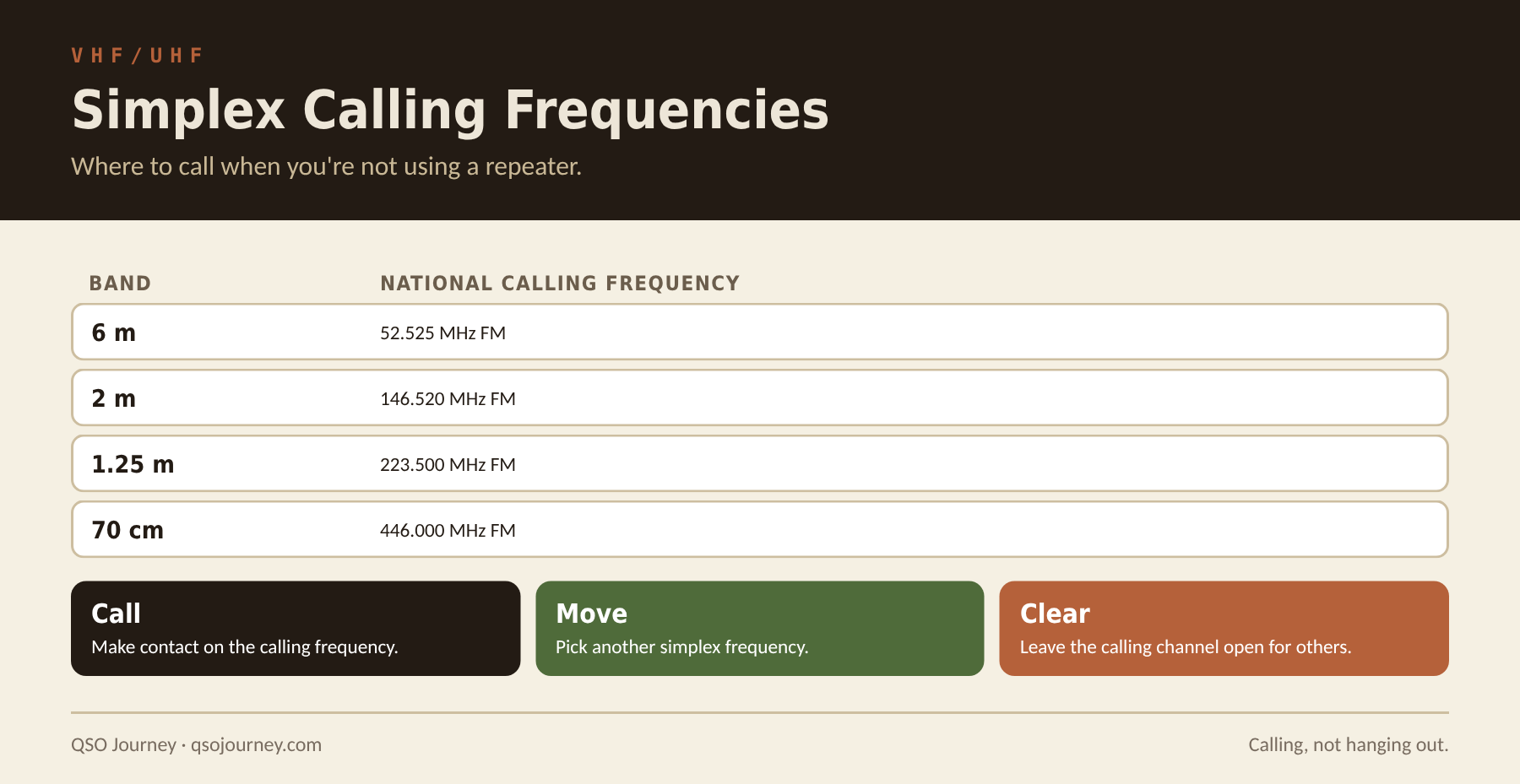
146.52 is the national 2 meter FM simplex calling frequency in the US: the agreed spot where hams listen for someone trying to make contact without a repeater. Simplex is radio to radio, which limits range to roughly line of sight but means it still works when every repeater in the area is down. The equivalents are 446.000 MHz on 70 centimeters, 52.525 MHz on 6 meters and 223.500 MHz on 1.25 meters. Many areas also designate simplex channels that ARES and RACES use when repeaters aren’t available. Know yours before you need them.
146.52 is a calling frequency, not a hangout. The convention is to call, make contact, then move to another simplex frequency for the conversation, keeping the calling channel clear for the next person.
- Listen first for a minute to make sure the frequency isn’t in use.
- Make a short call, for example your callsign followed by “monitoring 146.52.”
- If someone answers, exchange callsigns, then suggest another simplex frequency to move to.
- Identify at least every ten minutes and at the end of the contact.
- On a mobile, give your general location so the other station can judge whether simplex range will hold.
In an emergency, 146.52 is a good place to call for help when no repeater is available, since many hams leave it in their scan list. That’s one more reason to keep it clear. For moving traffic across town with no repeater at all, see Human Relay Networks, and for how far simplex really reaches, How Far Can Your VHF/UHF Radio Actually Talk?
Related reading: EchoLink vs AllStarLink · GMRS Repeaters vs Ham Repeaters · Your Repeater Is Not a Plan