

Part of our Building Your First Ham Radio Station guide.
Once you’ve picked your coax (I cover that in Choosing Coax for HF), three feedline questions keep coming up: when ladder line is worth the hassle, whether feedline length really matters, and how to switch between antennas without crawling behind the radio. Here’s how I think about each.
Jump to: Ladder line and open-wire feedline · Feedline length and common-mode current · Coax and antenna switches
Ladder Line and Open-Wire Feedline: When Balanced Beats Coax
Coax dominates modern ham radio for good reason, but ladder line and open-wire feedline haven’t disappeared. For one specific kind of multiband wire antenna, they still solve a problem coax struggles with.
Why ladder line loses so little
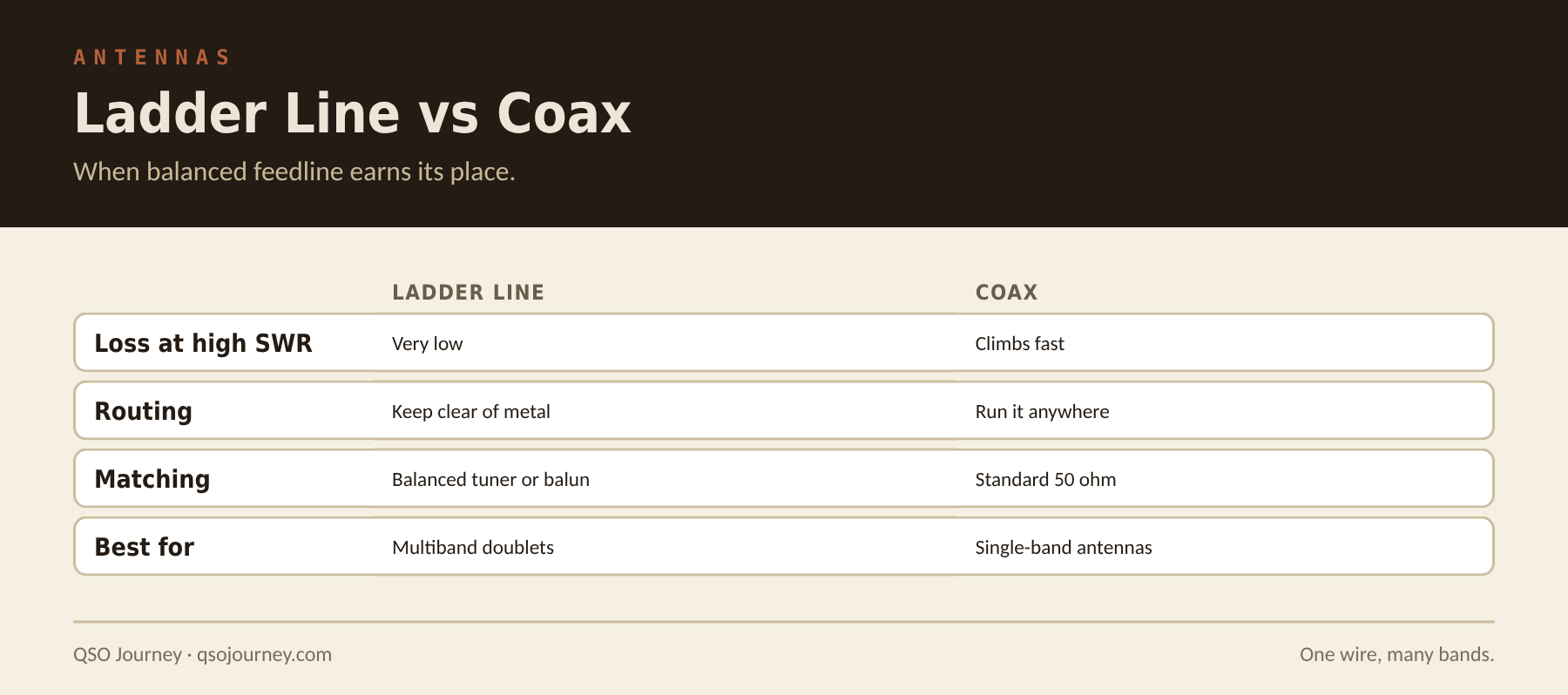
Ladder line’s two parallel conductors, held apart by insulating rungs with mostly air between them, lose dramatically less signal at high SWR than coax does. Coax loss climbs sharply with SWR, which matters a lot on a multiband antenna operated well off its design frequency. Ladder line stays low-loss even at SWR values that would waste a meaningful chunk of your power in coax, which is exactly why classic multiband doublets and G5RV-style antennas were designed around it.
That’s the whole appeal: a doublet fed with ladder line to a tuner can be loaded up across many HF bands from one antenna, even with wildly different SWR on each band, without the loss coax would add under the same mismatch.
What it costs you
- Ladder line has to stay away from metal, gutters and anything conductive, since nearby metal upsets its balance and adds loss.
- It can’t just route through a wall like coax. It needs a careful entry point that keeps its spacing from the house.
- You need a tuner that handles balanced loads: a true balanced tuner, or a standard tuner fed through a 4:1 or 1:1 current balun where the ladder line meets the coax.
- It’s harder to route and support neatly than a tidy coax run.
A common hybrid setup
Many hams split the difference: ladder line from the doublet down to a current balun mounted outside, near where the feedline enters the house, then a short run of coax from the balun to the tuner. You keep ladder line’s low loss on the long run and avoid bringing balanced line through the wall. Keep that coax section short, since it still sees the mismatch.
Is it worth it today? If you want one antenna to cover many HF bands with minimal feedline loss no matter how far off resonance you are, a doublet with ladder line and a good balanced tuner is still an excellent, if old-school, solution. For a single-band or narrowband antenna, coax wins easily and there’s no reason to bother. The G5RV and Windom are the best-known antennas built around this idea.
Feedline Length and Common-Mode Current
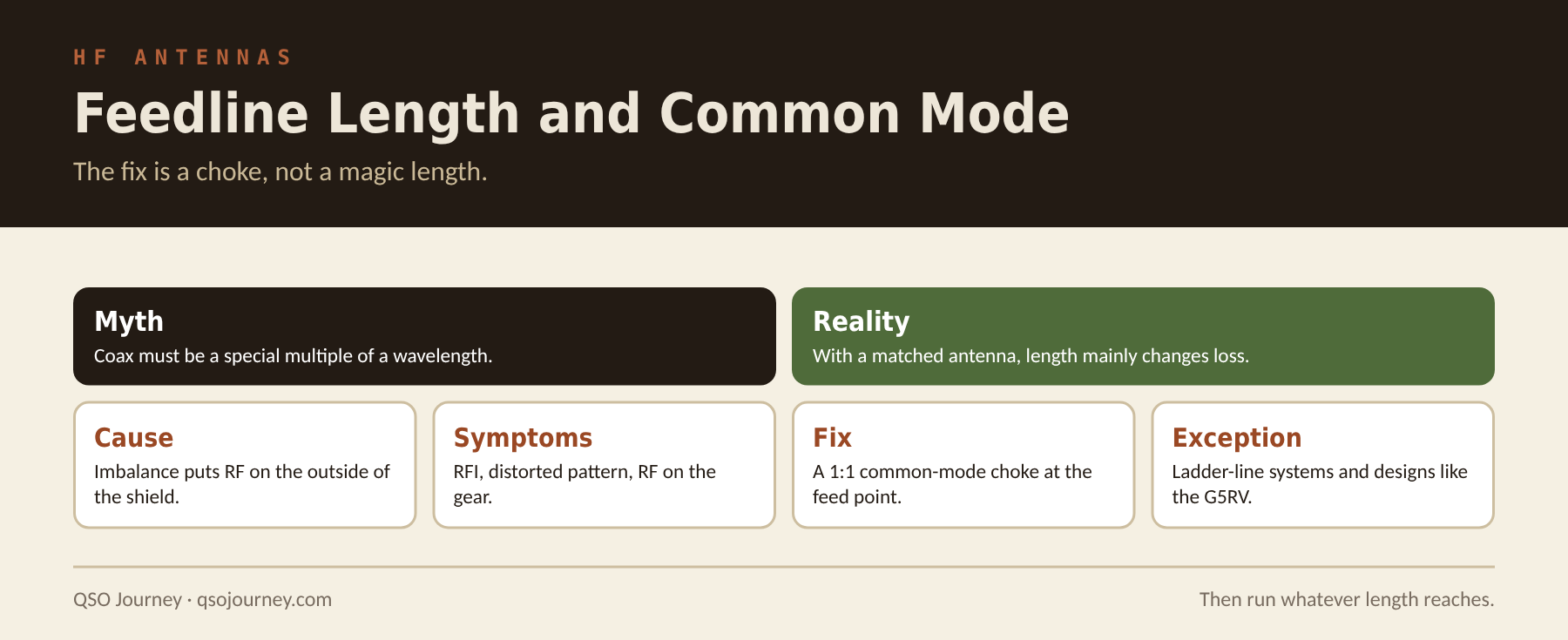
There’s a persistent myth that feedline length needs to be some magic multiple of a wavelength to work. For a properly matched coax feedline it doesn’t, but length does interact with common-mode current in ways worth understanding before you run a cable.
Coax length and SWR: mostly a non-issue
If your antenna presents a reasonable match at the feed point and your coax is low loss, the physical length of coax between radio and antenna has minimal effect on the SWR your radio sees, beyond the small extra loss of a longer run. The old advice about cutting feedline to specific electrical lengths mostly applies to open-wire line without a balun, or to designs like the G5RV that use the feedline as part of the matching system. It doesn’t apply to a standard coax-fed dipole or vertical.
Where common-mode current comes from
The problem worth caring about is common-mode current: RF flowing on the outside of the coax shield instead of staying inside the cable. It happens when the antenna isn’t perfectly balanced relative to the feedline, which is nearly always the case in the real world. That stray RF causes RFI in nearby equipment, distorts the antenna’s pattern, and can even bite you if you touch the coax while transmitting.
The fix is a choke, not a specific length
A 1:1 common-mode choke, coax wound on a ferrite core, right at the feed point is the actual fix, and it works regardless of how much coax you run. Put your effort into a good choke instead of chasing feedline-length superstitions (here’s how I build one). Once it’s in place, run whatever length gets you from the antenna to the shack and don’t lose sleep over the number.
Signs you have a common-mode problem
- SWR changes when you touch or move the coax.
- You feel RF on the radio case, microphone or key while transmitting.
- Computer, audio or network gear misbehaves only when you transmit.
- SWR readings change with the length of coax between the meter and the antenna.
- Receive noise drops noticeably when you disconnect the coax shield path to the house.
If you see any of these, add a choke at the feed point first. If the problem continues, a second choke where the coax enters the house, plus proper bonding to your station ground, usually takes care of the rest. For noise that isn’t coming from your own feedline, see Diagnosing and Killing HF Noise.
Coax and Antenna Switches: Multiple Antennas on One Radio
Once you own more than one HF antenna, whether that’s a low-band vertical and a high-band beam or just a backup for when the primary is down, an antenna switch saves you from swapping coax behind the radio every time.
Manual switches: simple and reliable
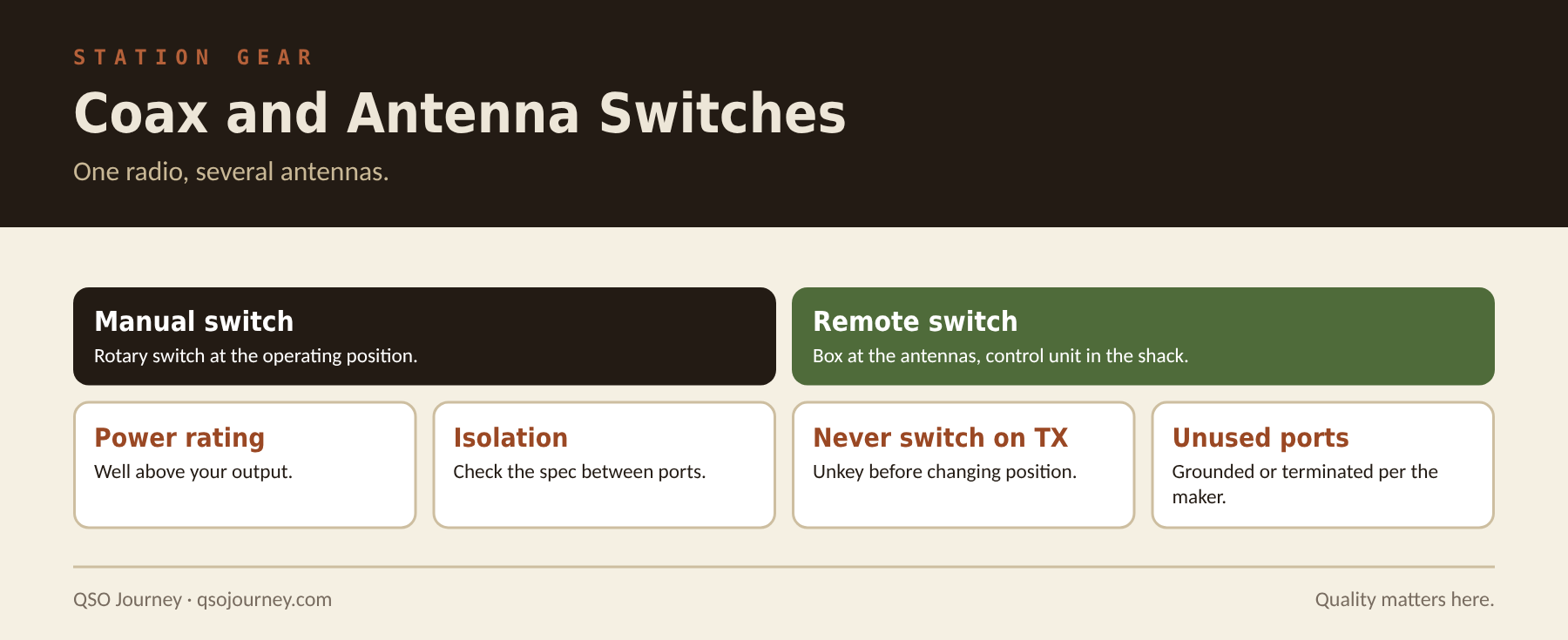
A manual coax switch is about as simple as station accessories get: a rotary switch at the operating position that routes the radio to one of several antenna ports. Get one rated well above your actual power and check its frequency range and the isolation between ports, since a poorly designed switch can leak enough RF between antennas to cause real interference at high power.
Cheap switches are cheap for a reason. A lot of the inexpensive ones use thin contacts and poor shielding between positions, which shows up as elevated SWR, RF leaking into the position you aren’t using and, at higher power, arcing across contacts. It’s hard to diagnose after the fact, because a switch quietly degrading your signal doesn’t announce itself the way a bad connector or damaged antenna does.
I run the Alpha Delta ASC-4B desktop coax switch, and it’s worked amazingly well. The build quality is a noticeable step up from the cheaper switches I’ve tried: solid contacts, good isolation between ports, and no surprises in SWR or leakage even at higher power. The Smokin Ape has a solid review of the Alpha Delta 4 port switch on YouTube worth watching before you buy.
Remote switches for antennas you can’t reach
If your antennas are somewhere inconvenient, like a tower base or a remote field location, a remote switch box mounted at the antennas and controlled from the operating position saves you from running separate coax for every antenna back to the shack. Fewer coax runs and connectors is also a real reliability advantage.
What to watch for
Never switch antennas while transmitting. Confirm the radio isn’t keyed before changing position, since switching under load can damage the switch contacts and possibly your finals. Also ground or terminate unused ports the way the switch maker specifies, since an open port can cause unexpected RF behavior on the antenna you’re using.
Related reading: Coax Connectors Explained · Installing a Coax Feedthrough Panel · Center-Fed vs End-Fed